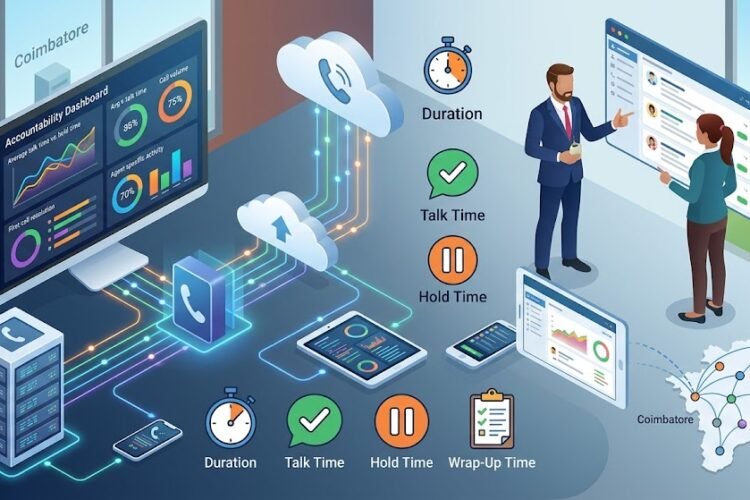
The corporate landscape has undergone a seismic shift. Gone are the days when “the office” was a specific desk in a high-rise building in Chennai or Coimbatore. Today, your office is wherever your laptop sits and your coffee is brewed. But for businesses, this freedom presents a technical challenge: How do you keep your professional identity and communication flow intact?
The answer lies in the power of IP EPABX systems. By leveraging Voice over IP (VoIP) technology, you can extend your office phone system to any corner of the globe. In this guide, we will dive deep into the technical and strategic steps of configuring remote extensions, ensuring your team stays connected without missing a single client call.
Understanding the Architecture of Remote Connectivity
Before we get into the “how-to,” it’s essential to understand what makes remote extensions possible. Unlike traditional analog lines, an IP-based system treats voice as data packets. This means that as long as there is an internet connection, your extension follows you.
The Role of SIP (Session Initiation Protocol)
SIP is the language your IP phones speak. When you configure a remote extension, you are essentially telling your PBX server to look for a specific device—be it a desk phone, a laptop, or a smartphone—on the public internet rather than just the local office network.
Hardware vs. Software Endpoints
For remote work, you generally have two choices:
-
IP Hardphones: Physical devices like Grandstream IP phones or Flying Voice IP phones that employees take home.
-
Softphones: Applications installed on computers or mobile devices that mimic a desk phone.
Step 1: Preparing Your Network for Remote Access
You can’t simply plug a phone in at home and expect it to work without some backend preparation. The most critical factor is how your office network “talks” to the outside world.
Static IP vs. DDNS
To connect a remote extension, your office PBX must be reachable. A Static IP is highly recommended because it provides a permanent “address” for your remote devices to find. If you don’t have a static IP, you may need a Dynamic DNS (DDNS) service, though this is less stable for professional voice traffic.
Port Forwarding and Security
Your router’s firewall is designed to block unsolicited traffic. To allow voice data through, you must “open” specific ports (usually Port 5060 for SIP and a range for RTP/Audio). However, leaving ports open is a security risk. This is why many businesses choose to secure IP telephony to prevent toll fraud by using a VPN or a Session Border Controller (SBC).
Step 2: Configuring the PBX Server
Once the network is ready, you need to head into the administrative dashboard of your IP PBX. Whether you use a Matrix IP EPABX or an Asterisk-based system, the logic remains similar.
Creating the Remote Extension
-
Navigate to Extension Settings: Create a new extension or select an existing one.
-
Enable Remote Access: Look for settings labeled “NAT (Network Address Translation)” and set it to “Yes.” This tells the PBX that the device is behind a different router.
-
Authentication: Use strong, complex passwords for the SIP Secret. Default passwords like “1234” are an open invitation for hackers.
Setting Up SIP Trunks
For businesses dealing with high call volumes, ensuring your SIP trunk is configured correctly on your Grandstream IP PBX is vital. This ensures that when a remote employee dials out, the call is routed through the company’s main line, maintaining a professional appearance.
Step 3: Setting Up the Remote Hardware
If your team is using physical desk phones at home, the configuration process is known as “Provisioning.”
Manual Configuration
On a Grandstream or Flying Voice device, you will enter the phone’s web interface and input:
-
SIP Server: Your office Static IP or DDNS.
-
SIP User ID: The extension number.
-
Authenticate Password: The SIP secret you created in Step 2.
STUN Servers and Quality of Service
At home, many routers use “Symmetric NAT,” which can cause one-way audio issues. To fix this, you can configure a STUN (Session Traversal Utilities for NAT) server in the phone settings. This helps the phone discover its public IP address and port, ensuring voice packets find their way back to the caller. For more on this, check out our guide on troubleshooting echo and voice lag.
Step 4: The Softphone Revolution for Mobile Teams
For many, a physical phone isn’t necessary. Softphones allow employees to use their business extension on their smartphones. This is the ultimate tool for hybrid IP EPABX setups redefining remote work.
Benefits of Softphones:
-
Mobility: Answer office calls while commuting or traveling.
-
Cost-Effective: No need to purchase additional hardware.
-
Integration: Often integrates with your IP PBX system with CRM for instant caller ID and data logging.
Why Connectivity Architecture Matters
When setting up remote extensions, you are building a bridge. If the bridge is weak, the calls will drop. This is why understanding the underlying structure—like a GSM network map or how FXO and FXS gateways interact—is helpful for IT managers.
If you are using analog lines at the office but want remote extensions, you will need to connect analog extensions to your IP PBX using an FXS gateway or use an FXO gateway to bring those lines into the digital realm.
Maintaining Security in a Remote Environment
Security is the biggest “pain point” for remote setups. Unauthorized access to your PBX can result in thousands of dollars in fraudulent international calls.
Essential Security Measures:
-
IP Whitelisting: If possible, only allow connections from the specific IP addresses of your employees’ homes.
-
Fail2Ban: Use software that automatically blocks any IP address that fails to log in multiple times.
-
Regular Maintenance: Follow an ultimate EPABX system maintenance checklist to ensure your firmware is updated against the latest vulnerabilities.
The Cost Factor: Is It Worth It?
Transitioning to a remote-ready IP EPABX might seem like a large upfront investment, but the long-term savings are significant. By reducing monthly phone bills using IP EPABX and VoIP integration, businesses often see a return on investment within the first year.
For small offices, you can even find small business phone systems under 50k that support robust remote extension capabilities.
Frequently Asked Questions (FAQs)
Can I use my existing analog phones for work from home?
Yes, but you will need an ATA (Analog Telephone Adapter) or an FXS gateway to convert the analog signal into a digital one that can travel over the internet to your office PBX.
What internet speed is required for a remote IP extension?
VoIP calls don’t require massive bandwidth. A stable connection with at least 100 Kbps of upload and download speed per call is usually sufficient. However, low latency (Ping < 50ms) is more important than raw speed.
Do I need a VPN for remote extensions?
While not strictly required, a VPN is the gold standard for security. It creates a private tunnel between the employee’s home and the office, making the remote phone act as if it is physically plugged into the office wall.
Can I have multiple people on remote extensions at once?
Absolutely. The limit is usually determined by your internet bandwidth at the office and the number of concurrent call licenses on your IP PBX.
What if I experience one-way audio?
One-way audio is almost always a NAT or Firewall issue. Ensure that the SIP ALG setting on your home router is Disabled, as it often interferes with VoIP traffic. For more detailed fixes, see our guide on optimizing voice quality for Fanvil and other IP phones.
Conclusion: Future-Proofing Your Business
Setting up remote extensions on your IP EPABX isn’t just about surviving a “work from home” trend; it’s about building a resilient, flexible organization. Whether you are looking for Matrix EPABX dealers in Coimbatore to start your journey or need to upgrade from analog to IP EPABX, the transition to a connected, location-independent communication system is the best move a modern business can make.
By following these steps, you ensure that your team stays professional, your costs stay low, and your clients always hear a friendly voice on the other end—no matter where that voice is calling from.