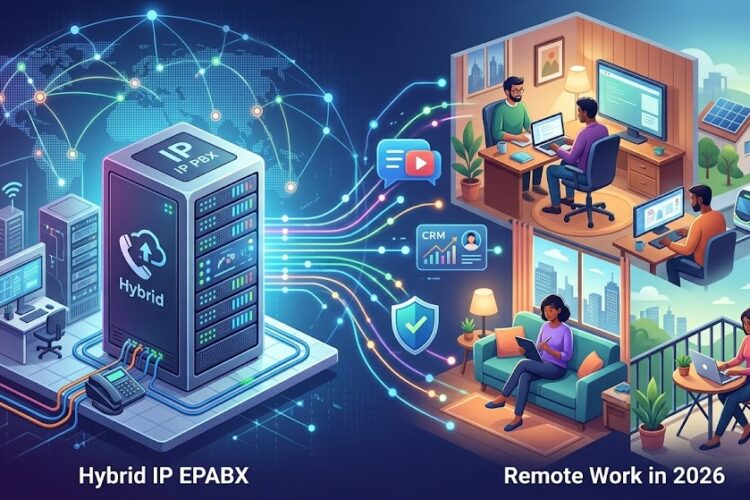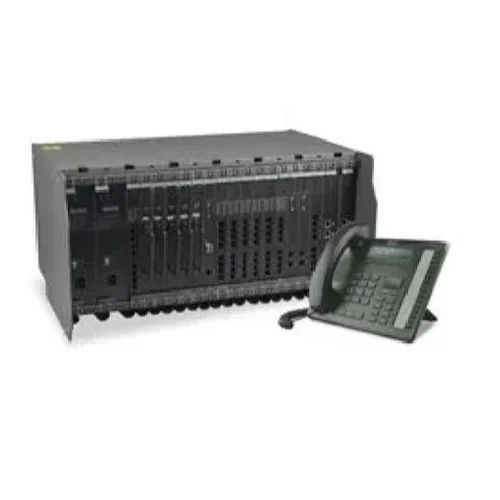
Modern businesses in Chennai and across Tamil Nadu are rapidly transitioning from traditional telephony systems to advanced IP EPABX solutions. This comprehensive guide will walk you through the complete process of setting up an IP EPABX system for your office, ensuring seamless communication and enhanced productivity.
Understanding IP EPABX Systems: The Foundation of Modern Business Communication
An IP EPABX (Internet Protocol Electronic Private Automatic Branch Exchange) system represents the evolution of traditional PBX technology. Unlike conventional systems that rely on copper wiring and circuit-switched networks, IP EPABX systems utilize your existing internet infrastructure to manage voice communications, data transfer, and unified communications.
The fundamental difference lies in how these systems process and route calls. Traditional EPABX systems convert voice into analog signals, while IP EPABX systems digitize voice communications into data packets that travel over IP networks. This transformation enables businesses to integrate voice, video, messaging, and collaboration tools into a single, cohesive platform.
For businesses in Chennai’s competitive market, this technology offers significant advantages in cost reduction, scalability, and feature enhancement. Companies can reduce their telecommunications expenses by up to 70% while gaining access to advanced features that were previously available only to large enterprises.
Pre-Installation Planning: Setting the Foundation for Success
Before diving into the technical installation process, thorough planning ensures optimal system performance and future scalability. This phase determines the success of your entire IP EPABX deployment.
Assessing Your Business Communication Needs
Start by conducting a comprehensive audit of your current communication requirements. Document the number of internal extensions needed, analyze call volume patterns throughout typical business days, and identify peak usage periods. Consider future growth projections – a well-designed IP EPABX system should accommodate at least 30-50% growth over the next three years.
Evaluate your existing telecommunications costs, including monthly line rentals, long-distance charges, and maintenance fees. This baseline will help you calculate the return on investment for your new IP EPABX system.
Network Infrastructure Requirements
Your IP EPABX system’s performance directly correlates with your network infrastructure quality. Conduct a thorough network assessment to ensure adequate bandwidth allocation. As a general rule, each concurrent call requires approximately 100-150 kbps of bandwidth, including overhead.
Implement Quality of Service (QoS) configurations to prioritize voice traffic over other network activities. This prevents call quality degradation during periods of high data usage. Consider implementing dedicated VLANs for voice traffic to maintain consistent performance and security.
Power over Ethernet (PoE) capability is essential for IP phones. Verify that your network switches support PoE+ standards to power modern IP endpoints effectively. If your current infrastructure lacks PoE support, budget for PoE injectors or switch upgrades.
Choosing the Right IP EPABX Solution
The market offers numerous IP EPABX solutions, ranging from open-source platforms to enterprise-grade proprietary systems. Your choice should align with your business size, technical expertise, and budget constraints.
Open Source vs. Proprietary Solutions
Open-source solutions like Asterisk and FreePBX offer significant cost savings and customization flexibility. These platforms are ideal for businesses with dedicated IT resources and specific customization requirements. However, they require ongoing technical maintenance and support.
Proprietary solutions from established vendors provide comprehensive support, regular updates, and enterprise-grade features. While the initial investment is higher, these systems often deliver better long-term value through reduced maintenance costs and professional support services.
Cloud-Based vs. On-Premises Deployment
Cloud-based IP EPABX solutions eliminate the need for on-premises hardware while providing scalability and reduced maintenance overhead. These solutions are particularly attractive for small to medium businesses that prefer operational expenses over capital investments.
On-premises deployments offer greater control over data security and customization but require dedicated IT resources for maintenance and updates. Consider hybrid solutions that combine on-premises control with cloud-based redundancy and disaster recovery capabilities.
Hardware Requirements and Selection
Server Specifications for Optimal Performance
Your IP EPABX server specifications directly impact system performance and user experience. For small businesses (up to 50 extensions), a server with Intel i5 processor, 8GB RAM, and 500GB storage typically suffices. Medium enterprises (50-200 extensions) require more robust specifications: Intel i7 or Xeon processor, 16-32GB RAM, and 1TB+ storage with RAID configuration for redundancy.
Consider virtualization for enhanced resource utilization and disaster recovery capabilities. VMware, Hyper-V, or KVM platforms enable efficient resource allocation and simplified backup procedures.
Network Equipment Considerations
Invest in enterprise-grade network switches with PoE+ capability to power IP phones efficiently. Managed switches enable advanced QoS configurations and network monitoring capabilities essential for maintaining call quality.
Implement redundant internet connections from different service providers to ensure business continuity. Configure automatic failover mechanisms to seamlessly switch between connections during outages.
IP Phone Selection and Features
Modern IP phones offer features that significantly enhance user productivity. Look for phones with high-definition (HD) audio codecs, programmable function keys, and color displays for improved user experience.
Consider wireless IP phones for mobile workers and cordless handsets for environments where mobility is essential. Ensure compatibility with your chosen IP EPABX platform and verify codec support for optimal audio quality.
Step-by-Step Installation Process
Initial System Configuration
Begin by installing your chosen IP EPABX software on the designated server. Follow vendor-specific installation procedures carefully, ensuring all dependencies are properly configured. Document all configuration parameters for future reference and troubleshooting.
Configure basic system parameters including time zones, network settings, and administrative credentials. Implement strong password policies and enable two-factor authentication where available to enhance security.
Network Configuration and Integration
Configure your IP EPABX system’s network settings to integrate seamlessly with your existing infrastructure. Assign static IP addresses to critical system components and configure appropriate subnet masks and gateway settings.
Implement proper firewall rules to secure your IP EPABX system while allowing necessary traffic flow. Document all firewall configurations and regularly review security settings to maintain optimal protection.
Extension and User Setup
Create user accounts for each employee, assigning appropriate permissions based on their roles and responsibilities. Configure extension numbers following a logical numbering scheme that accommodates future growth.
Set up voicemail accounts with personalized greetings and configure call forwarding rules based on user preferences. Implement call pickup groups and hunt groups to optimize call distribution and ensure no calls go unanswered.
SIP Trunk Configuration
Session Initiation Protocol (SIP) trunks replace traditional phone lines, providing connectivity to the public switched telephone network (PSTN). Configure SIP trunk settings provided by your service provider, including authentication credentials and codec preferences.
Test trunk connectivity thoroughly, verifying both inbound and outbound call functionality. Configure backup trunks for redundancy and implement least-cost routing to optimize telecommunications expenses.
Advanced Configuration Features
Call Routing and Hunting Groups
Implement intelligent call routing based on time of day, caller ID, and department requirements. Configure hunt groups to distribute calls among team members, ensuring efficient call handling and improved customer service.
Set up overflow routing to redirect calls to alternative destinations when primary recipients are unavailable. This feature is particularly valuable during peak call periods or staff absences.
Voicemail and Auto-Attendant Setup
Configure professional auto-attendant greetings that reflect your brand identity and provide clear navigation options for callers. Implement multi-level menus for complex organizations while keeping navigation simple and intuitive.
Set up centralized voicemail systems with email notifications to ensure prompt message retrieval. Consider implementing voicemail-to-email transcription services for enhanced accessibility and convenience.
Integration with CRM and Business Applications
Modern IP EPABX systems offer robust integration capabilities with customer relationship management (CRM) systems, help desk software, and other business applications. These integrations enable features like screen pops, click-to-dial functionality, and automatic call logging.
Configure APIs and webhooks to connect your IP EPABX system with existing business workflows. This integration streamlines operations and provides valuable insights into communication patterns and customer interactions.
Security Implementation and Best Practices
Network Security Measures
Implement comprehensive security measures to protect your IP EPABX system from potential threats. Configure firewalls with strict access controls, allowing only necessary traffic to reach your telephony infrastructure.
Use VPN connections for remote system administration and implement intrusion detection systems to monitor for suspicious activities. Regularly update security patches and monitor system logs for potential security incidents.
User Authentication and Access Control
Implement role-based access control (RBAC) to ensure users have appropriate permissions for their job functions. Configure strong password policies and mandate regular password changes to maintain security.
Enable session timeouts for administrative interfaces and implement automatic account lockouts after multiple failed login attempts. These measures help prevent unauthorized access and potential security breaches.
Testing and Quality Assurance
Comprehensive System Testing
Conduct thorough testing of all system components before going live. Test internal extension-to-extension calling, external inbound and outbound calls, and advanced features like call transfer and conference calling.
Perform stress testing to ensure your system can handle peak call volumes without performance degradation. Document all test results and address any identified issues before system deployment.
Call Quality Optimization
Monitor call quality metrics including jitter, latency, and packet loss. Implement appropriate QoS policies to maintain consistent voice quality and address any network issues that might impact call performance.
Configure appropriate codecs based on your bandwidth availability and quality requirements. G.722 provides high-definition audio quality, while G.729 offers efficient bandwidth utilization for limited network resources.
Maintenance and Ongoing Support
Regular System Maintenance
Establish regular maintenance schedules including system backups, security updates, and performance monitoring. Implement automated backup procedures to ensure system configurations and data are protected against hardware failures.
Monitor system performance metrics and establish baseline measurements for comparison. Regular monitoring helps identify potential issues before they impact business operations.
User Training and Documentation
Provide comprehensive training for end users on system features and functionality. Develop user guides and quick reference materials to help employees maximize the benefits of your new IP EPABX system.
Establish internal support procedures and designate key personnel as system administrators. Proper training reduces support requests and ensures efficient system utilization.
Cost Analysis and ROI Calculation
Initial Investment Breakdown
A typical IP EPABX installation for a 50-extension office in Chennai ranges from ₹2,50,000 to ₹5,00,000, depending on chosen features and hardware specifications. This investment includes server hardware, IP phones, network infrastructure upgrades, and professional installation services.
Factor in ongoing costs including internet bandwidth upgrades, SIP trunk services, and annual maintenance contracts. These operational expenses typically range from ₹15,000 to ₹30,000 monthly for medium-sized businesses.
Return on Investment Calculations
Most businesses realize significant cost savings within 12-18 months of IP EPABX implementation. Savings come from reduced line rental charges, lower long-distance calling costs, and eliminated maintenance fees for traditional PBX systems.
Additional benefits include improved productivity through advanced features, reduced telecommunications infrastructure complexity, and enhanced disaster recovery capabilities. These soft benefits often provide value that exceeds the initial system investment.
Troubleshooting Common Issues
Audio Quality Problems
Poor audio quality typically results from network congestion, inadequate QoS configuration, or codec mismatches. Implement proper traffic prioritization and ensure adequate bandwidth allocation for voice communications.
Monitor network performance metrics and address any issues with jitter, latency, or packet loss. Consider implementing dedicated voice VLANs to isolate voice traffic from other network activities.
Registration and Connectivity Issues
SIP registration failures often result from firewall restrictions, NAT configuration issues, or incorrect service provider settings. Verify all network configurations and ensure proper port forwarding for SIP and RTP traffic.
Work closely with your internet service provider and SIP trunk provider to resolve connectivity issues. Document all configuration changes for future reference and troubleshooting.
Future-Proofing Your Investment
Scalability Planning
Design your IP EPABX system with future growth in mind. Choose platforms that support easy expansion and avoid solutions that require complete replacement as your business grows.
Consider modular approaches that allow incremental capacity increases without disrupting existing operations. This approach provides flexibility while protecting your initial investment.
Technology Evolution Considerations
Stay informed about emerging technologies like unified communications, artificial intelligence integration, and advanced analytics capabilities. Plan for system upgrades that incorporate these technologies as they become mainstream.
Consider solutions that offer regular feature updates and maintain compatibility with evolving industry standards. This approach ensures your system remains current and valuable over its operational lifetime.
Working with Professional Installation Services
Selecting the Right Partner
Choose installation partners with proven experience in IP EPABX deployments similar to your business size and industry. Verify certifications, review customer references, and evaluate ongoing support capabilities.
At Hitech Solutions Chennai, we specialize in comprehensive IP EPABX installations for businesses across Chennai and Coimbatore. Our certified technicians ensure proper system configuration, optimal performance, and seamless integration with your existing infrastructure.
Project Management and Timeline
Professional installation typically requires 2-4 weeks from initial assessment to system go-live, depending on complexity and customization requirements. Establish clear project timelines with defined milestones and regular progress reviews.
Ensure your installation partner provides comprehensive documentation, user training, and ongoing support services. This comprehensive approach ensures successful system deployment and maximum return on investment.
Conclusion: Transform Your Business Communications
Implementing an IP EPABX system represents a significant step toward modernizing your business communications infrastructure. The benefits extend far beyond cost savings, encompassing improved productivity, enhanced customer service capabilities, and future-ready scalability.
Success depends on thorough planning, proper implementation, and ongoing maintenance. Partner with experienced professionals who understand your business requirements and can guide you through the entire process from initial assessment to ongoing support.
The telecommunications landscape continues evolving rapidly, with new technologies and capabilities emerging regularly. By implementing a well-designed IP EPABX system today, you’re positioning your business for continued growth and success in an increasingly connected world.
For businesses in Chennai and surrounding areas, professional guidance ensures optimal system design and implementation. Contact Hitech Solutions at +91 83004 48684 or visit our website to learn how we can transform your business communications with cutting-edge IP EPABX solutions.
Ready to revolutionize your office communications? Start your IP EPABX journey today and discover the transformative power of modern telephony technology. Your customers, employees, and bottom line will thank you for making this strategic investment in your business’s future.
For more information about our comprehensive telephony solutions and to schedule your free consultation, visit our about page or contact our Chennai office directly.