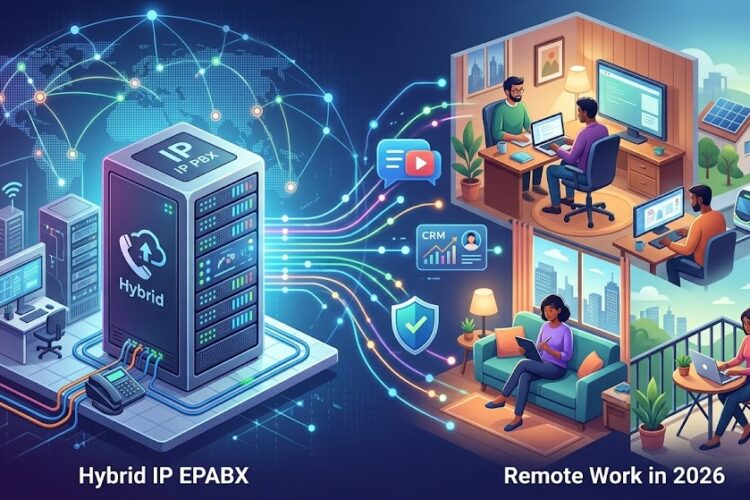
Every small business owner knows the frustration: you’re juggling customer calls on your mobile phone, missing important opportunities because your traditional phone system can’t keep up, and watching your telecommunication bills climb month after month. Sound familiar? You’re not alone, and there’s a better way forward.
The shift to VoIP PBX for small business isn’t just a trend—it’s a fundamental transformation in how modern companies communicate. If you’ve been wondering whether it’s time to upgrade from your outdated phone system, or if you’re launching a new venture and want to start with the right infrastructure, this guide will walk you through everything you need to know.
What Exactly is VoIP PBX and Why Should Small Businesses Care?
Let’s cut through the technical jargon. A VoIP PBX system (Voice over Internet Protocol Private Branch Exchange) is essentially your company’s phone system that runs over the internet instead of traditional copper phone lines. Think of it as taking all the capabilities of a corporate call center and making them accessible and affordable for businesses with 5, 10, or 50 employees.
Here’s what makes this technology revolutionary for small businesses: you’re no longer tied to expensive hardware installations or paying premium rates for basic features that enterprise companies take for granted. Want call forwarding? It’s built-in. Need to record calls for training purposes? That’s standard. Hoping to let your team work from home without missing customer calls? VoIP PBX makes it effortless.
The traditional barriers that kept small businesses from having professional phone systems have essentially disappeared. You don’t need a server room, you don’t need an IT department on staff, and you certainly don’t need to break the bank to get started.
The Real Pain Points VoIP PBX Solves for Growing Businesses
The Mobile Phone Juggling Act
You know the scenario: you’re using your personal cell phone for business calls, and suddenly customers are calling you at 8 PM on Saturday. Your work-life balance is non-existent, and you can’t easily separate business expenses from personal ones. With a proper VoIP PBX system, you get dedicated business numbers that route to your mobile device only during business hours, with professional greetings and call handling that make your three-person startup sound like a Fortune 500 company.
The “We Missed Your Call” Problem
Nothing kills a business opportunity faster than a missed call. Traditional phone systems mean missed calls when you’re with a customer, in a meeting, or simply away from your desk. A modern IP EPABX system solves this with intelligent call routing—calls automatically forward to mobile phones, ring multiple devices simultaneously, or go to voicemail with instant email notifications.
The Scaling Nightmare
You’ve landed a big contract and need to add five new employees next month. With traditional phone systems, you’re looking at expensive hardware purchases, technician visits, and weeks of installation time. VoIP PBX systems scale at the speed of business—add a new user in minutes through a web portal, and they can be taking calls that same afternoon from anywhere with an internet connection.
The Credibility Gap
When potential clients call and hear a personal voicemail or unprofessional greeting, it raises questions about your legitimacy. Professional features like auto-attendants (“Press 1 for Sales, Press 2 for Support”), hold music, and departmental extensions signal that you’re a serious business operation, even if you’re still working from your garage.
Understanding the Different Types of VoIP PBX Solutions
Not all VoIP PBX systems are created equal, and understanding your options helps you make the right choice for your specific situation.
Cloud-Based VoIP PBX: The Fastest Path to Modern Communication
Cloud-based VoIP PBX systems are hosted entirely by your provider—you don’t manage any hardware or software yourself. You simply pay a monthly fee per user (typically $20-40 per user per month), and the provider handles maintenance, updates, security, and reliability.
This is ideal if: You want to get started quickly, you don’t have IT staff, you have remote or distributed teams, or you prefer predictable monthly expenses over capital investments.
Real-world example: A 10-person marketing agency switched to cloud VoIP and had their entire team up and running in a single afternoon. When they hired three remote workers in different cities the following month, those employees had full phone system access on day one without any additional hardware.
On-Premise IP PBX: Maximum Control for Technical Teams
With an on-premise IP PBX, you purchase hardware and software that sits in your office. You own and control everything, from the server to the security settings to the features configuration.
This makes sense if: You have reliable IT support, you need advanced customization, you want to avoid ongoing subscription fees, or you handle sensitive information that can’t leave your premises.
Consider this: A legal firm with strict client confidentiality requirements chose an on-premise system. Their IT consultant set up the server, and now they have complete control over their call recordings and data storage.
Hybrid PBX Systems: The Best of Both Worlds
Hybrid systems combine on-premise hardware for local calling with cloud services for advanced features and remote workers. You get the reliability of local infrastructure with the flexibility of cloud capabilities.
Perfect for: Businesses transitioning from traditional systems, companies with both office-based and remote staff, or organizations that want redundancy and backup options.
The Financial Reality: What Does VoIP PBX Actually Cost?
Let’s talk numbers, because this is probably your biggest question. The honest answer is: it varies significantly based on what you need, but here’s a realistic breakdown to help you budget.
Cloud-Based Solutions
- Basic plans: $15-25 per user per month (unlimited domestic calling, basic features)
- Professional plans: $25-40 per user per month (advanced call routing, CRM integration, analytics)
- Enterprise plans: $40-60 per user per month (advanced security, unlimited storage, priority support)
Setup costs: Typically $0-500 for configuration and basic training. You’ll need IP phones ($50-200 each) unless you use softphones on computers or mobile devices.
For a 10-person business: Expect to pay roughly $250-400 per month plus $500-2,000 in initial phone hardware costs.
On-Premise Solutions
- PBX hardware/server: $1,000-5,000 depending on capacity
- Software licensing: $500-2,000 (often one-time or annual)
- IP phones: $50-200 per device
- Installation and configuration: $500-3,000
For a 10-person business: Initial investment of $3,000-8,000, then minimal ongoing costs (primarily internet and power).
The Hidden Savings Everyone Misses
What the pure cost comparison doesn’t show is where you save money:
- Eliminated long-distance charges: Most VoIP plans include unlimited calling across your country, and international rates are typically 90% cheaper than traditional carriers.
- No separate phone line bills: Your internet connection handles both data and voice, eliminating those $40-80 per line monthly charges.
- Reduced IT complexity: When your phone system is cloud-based, you don’t need dedicated staff to manage it or expensive maintenance contracts.
- Productivity gains: Features like call routing, voicemail-to-email, and mobile integration mean fewer missed opportunities and faster response times.
A real client of ours calculated that their cloud VoIP system paid for itself in four months just from eliminated long-distance charges alone.
Essential Features Every Small Business Should Have
When evaluating the best VoIP PBX for small business, certain features move from “nice to have” to “absolute necessities.” Here’s what matters:
Auto-Attendant (Digital Receptionist)
This automated system greets callers and routes them to the right department or person without human intervention. It’s the difference between sounding like a professional organization and sounding like someone working from their kitchen table.
Why it matters: Your receptionist can focus on high-value tasks instead of transferring calls, and you can maintain a professional image 24/7, even when nobody’s in the office.
Call Forwarding and Find-Me/Follow-Me
Calls automatically route to your mobile phone, home office, or wherever you happen to be. Advanced systems ring multiple devices simultaneously until someone answers.
Why it matters: In today’s mobile world, being tied to a desk phone means missing opportunities. This feature ensures you never miss important calls while maintaining a single professional business number.
Voicemail to Email
Voicemails are automatically transcribed and sent to your email inbox, so you can scan messages quickly without dialing into a voicemail system.
Why it matters: You can prioritize callbacks based on urgency, respond faster to customers, and keep a searchable record of all messages.
Call Recording and Monitoring
Record specific calls or all calls for training, quality assurance, or dispute resolution purposes.
Why it matters: This is invaluable for training new staff, resolving “he said, she said” situations, and continuously improving your customer service quality.
Conference Calling
Built-in conference bridges let multiple parties join calls without using third-party services.
Why it matters: No more paying for Zoom or other conferencing tools for audio calls, and you can host client meetings or team huddles instantly.
CRM Integration
Your phone system connects with customer relationship management software like Salesforce, HubSpot, or Zoho to automatically log calls and display customer information when they call.
Why it matters: Sales and support teams immediately see customer history, leading to more personalized service and better tracking of customer interactions.
Setting Up Your First VoIP PBX System: A Step-by-Step Reality Check
The setup process for an IP EPABX system doesn’t have to be intimidating. Here’s what actually happens:
Phase 1: Assessment and Planning (Week 1)
Before you buy anything, evaluate your current situation:
- How many employees need phones?
- Do you have remote workers?
- What’s your current monthly phone bill?
- What features do you absolutely need?
- What’s your internet connection speed? (VoIP requires approximately 100 kbps per concurrent call)
Pro tip: If your internet is slow or unreliable, address this first. VoIP quality is only as good as your internet connection. Consider upgrading to business-class internet with a service level agreement (SLA) if your current connection is shaky.
Phase 2: Choose Your Provider and Plan (Week 1-2)
Research providers thoroughly. Don’t just look at price—consider:
- Reliability: What’s their uptime guarantee? Check independent reviews, not just testimonials on their website.
- Support: Can you reach a human when problems occur? What are their support hours?
- Scalability: How easy is it to add or remove users as your business changes?
- Contract terms: Can you cancel if you’re unhappy, or are you locked in for years?
Request trials or demos from your top 2-3 choices and test them with real users in your office.
Phase 3: Network Preparation (Week 2-3)
This is the step many businesses skip, leading to poor call quality and frustration:
- Ensure your router can handle Quality of Service (QoS) settings to prioritize voice traffic
- Test your internet speed during peak usage times, not just at midnight when nobody’s online
- Consider a separate VLAN (virtual network) for voice traffic if you have heavy data usage
- Install power-over-ethernet (PoE) switches if you’re using desk phones that get power through the network cable
Network infrastructure maintenance is crucial for long-term success.
Phase 4: Phone System Configuration (Week 3-4)
Work with your provider to configure:
- User accounts and extensions
- Call routing rules and schedules
- Voicemail greetings and settings
- Auto-attendant menus
- Ring groups and hunt patterns
- Emergency calling (E911) locations
Common mistake: Businesses rush through configuration and end up with a poorly organized system. Take time to thoughtfully design your call flows based on how customers actually interact with your business.
Phase 5: Team Training and Rollout (Week 4)
Your system is worthless if your team doesn’t use it properly:
- Schedule hands-on training sessions, not just “here’s a manual”
- Create quick reference guides for common tasks
- Designate a “phone champion” who learns the system deeply and helps colleagues
- Run a soft launch with a few users before rolling out company-wide
- Have your provider’s support number readily available for the first week
Common VoIP PBX Challenges and How to Overcome Them
Let’s be honest about potential issues you might encounter and how to address them:
Challenge 1: Call Quality Problems
Symptoms: Choppy audio, delays, echo, or dropped calls.
Solutions:
- Upgrade your internet connection if you’re experiencing bandwidth limitations
- Enable QoS on your router to prioritize voice traffic
- Use wired connections instead of WiFi for desk phones when possible
- Check for network congestion during specific times and adjust bandwidth-heavy activities
- Consider implementing a dedicated internet circuit just for voice traffic if you have significant call volume
Challenge 2: Power Outages
The problem: Unlike traditional phone lines that work during power outages, VoIP requires power for your internet equipment and phones.
Solutions:
- Install uninterruptible power supplies (UPS) for your network equipment
- Configure automatic call forwarding to mobile phones during outages
- Consider a backup internet connection (4G/5G hotspot) for critical business continuity
Challenge 3: Security Vulnerabilities
VoIP systems can be targets for toll fraud and hacking, potentially resulting in thousands of dollars in fraudulent international calls.
Solutions:
- Change all default passwords immediately
- Implement strong password policies (16+ characters, mixed case, numbers, symbols)
- Restrict international calling unless specifically needed
- Enable two-factor authentication for system administration
- Regularly review call logs for suspicious activity
- Keep your system software updated with security patches
Challenge 4: Emergency Service (911) Complications
VoIP doesn’t automatically provide your physical location to emergency services like traditional phone lines do.
Solutions:
- Ensure your provider supports Enhanced 911 (E911) service
- Register the physical location of each phone with your provider
- Update locations whenever phones are moved
- Train employees on your specific 911 procedures
- Post emergency calling instructions near phones
Making the Transition: Switching from Traditional PBX to VoIP
If you’re currently using a traditional phone system, the transition requires planning but isn’t as disruptive as you might fear. Here’s how to make the switch smoothly:
Option 1: The Complete Cutover (Aggressive Approach)
Schedule a weekend or slow business period, port all your phone numbers to the new system simultaneously, and launch Monday morning with your new VoIP PBX.
Best for: Small teams (under 15 people) who can tolerate some initial confusion, businesses with simple phone setups, or companies that can handle a brief service interruption.
Option 2: The Phased Migration (Conservative Approach)
Start with one department or location, iron out issues, then gradually migrate other groups over several weeks or months. Run both systems in parallel during the transition.
Best for: Larger organizations, businesses that can’t tolerate communication disruptions, or companies with complex call routing requirements.
Option 3: The Hybrid Interim (Cautious Approach)
Keep your existing traditional system for main lines but add VoIP for new employees or remote workers. Gradually shift more traffic to VoIP as you build confidence.
Best for: Businesses with significant investments in existing equipment, organizations with very high call quality requirements, or companies unsure about committing fully to VoIP.
Choosing the Right Phones and Devices
You have three main options for endpoints:
Desk Phones (IP Phones)
Physical desk phones designed specifically for VoIP. These look and function like traditional business phones but connect to your network instead of phone lines.
Advantages: Familiar to users, excellent call quality, dedicated device means reliable availability, professional appearance.
Cost: $50-200 for basic models, $200-500 for executive models with color screens and advanced features.
Recommended brands: Yealink, Grandstream, Cisco, Polycom—all offer reliable options at various price points.
Softphones (Computer/Tablet Applications)
Software applications that turn your computer, laptop, or tablet into a phone using a headset or built-in speakers/microphone.
Advantages: No hardware costs, ultimate mobility, great for remote workers, easy to deploy.
Challenges: Depends on computer availability and performance, can be affected by computer issues, less physical presence on desk.
Mobile Applications
Apps for iOS and Android that turn smartphones into full-featured business phones with access to all your VoIP PBX features.
Advantages: True mobility, uses devices employees already have, perfect for field workers or remote teams.
Best practices: Set up separate “work” profiles on phones if possible, enable push notifications for incoming calls, educate users on data usage.
Many businesses use a combination approach: desk phones for reception and offices, softphones for administrative staff, and mobile apps for executives and field workers.
Measuring Success: Key Metrics to Track
Once your VoIP PBX system is running, track these metrics to ensure you’re getting value:
- Call abandonment rate: What percentage of callers hang up before reaching someone? Target should be under 5%.
- Average wait time: How long do callers spend on hold? Under 30 seconds is excellent for small businesses.
- First call resolution: What percentage of issues are resolved without callbacks? Higher is better.
- Cost per user per month: Track your total communication costs divided by users to ensure savings materialize.
- System uptime: Your system should be available 99.9% of the time or better.
The Future is Here: Why Waiting Costs You Money
Every month you delay switching to a VoIP PBX for small business is a month you’re:
- Paying higher telecommunications bills than necessary
- Missing calls and opportunities due to inflexible routing
- Spending employee time on manual tasks that could be automated
- Projecting a less professional image to customers
- Limiting your ability to support remote or flexible work arrangements
The technology has matured, the costs have dropped, and the benefits are clear. The question isn’t whether to switch to VoIP PBX—it’s how quickly you can make it happen to start reaping the rewards.
Taking the First Step Forward
Upgrading to a modern communication system might seem daunting, but breaking it down into manageable steps makes it achievable:
- This week: Calculate your current phone system costs (hardware, lines, long-distance, maintenance)
- Next week: Get quotes from 3-5 VoIP providers and compare features
- Week 3: Test your internet connection and identify any network upgrades needed
- Week 4: Start a trial with your preferred provider using a small group
- Month 2: Roll out to your full organization
The businesses thriving in today’s economy aren’t necessarily the ones with the biggest budgets—they’re the ones making smart technology choices that multiply their effectiveness. Transforming your business communication with VoIP PBX is one of those choices.
Frequently Asked Questions
Q: Will VoIP work if my internet goes down?
A: Most systems offer automatic call forwarding to mobile phones if your internet connection fails. For critical business continuity, consider a backup internet connection (4G/5G hotspot) or a traditional analog line as a failover option.
Q: Can I keep my existing phone numbers?
A: Yes, through a process called “number porting.” Your VoIP provider will handle the paperwork with your current carrier. The process typically takes 2-4 weeks, and your service continues uninterrupted during the transition.
Q: Is VoIP quality really as good as traditional phone lines?
A: With adequate internet bandwidth and proper network configuration, VoIP quality equals or exceeds traditional phone lines. Many businesses report clearer calls with VoIP than they had with their old systems. The key is ensuring your network is properly configured.
Q: How much internet bandwidth do I need?
A: Plan for approximately 100 kbps per concurrent call (upload and download). A typical small business with 10 employees might have 3-5 concurrent calls at peak times, requiring about 500 kbps. Most modern business internet connections easily handle this, but test during your peak usage times to be sure.
Q: What happens if I need to move my office?
A: This is where VoIP truly shines. With cloud-based systems, you simply unplug your phones at the old location and plug them in at the new one—they automatically reconnect and work immediately. No technician visits, no service interruptions, no new numbers to communicate to customers.
Q: Can my remote workers have the same features as in-office staff?
A: Absolutely. Remote workers can use desk phones (if they have reliable internet), softphones on their computers, or mobile apps on their smartphones—all with access to the exact same features as in-office staff. From the customer’s perspective, there’s no difference between reaching someone at headquarters or someone working from home.
Q: How difficult is it to add new users or make changes?
A: With cloud-based VoIP PBX systems, adding users or making configuration changes typically takes just a few minutes through a web-based control panel. You don’t need special training or technical expertise for basic administration tasks.
Q: What if I have locations in multiple cities or countries?
A: VoIP PBX excels in multi-location scenarios. All your locations connect to the same phone system, enabling free inter-office calling, unified voicemail, and seamless call transfers between locations—all through your internet connections.
Q: Are there any industries that shouldn’t use VoIP?
A: VoIP works for virtually any industry, but businesses with extremely high call quality requirements (like radio stations or certain healthcare applications) or those in locations with unreliable internet might need to carefully evaluate their specific situation or implement redundant systems.
Q: How do I handle VoIP during a power outage?
A: Install UPS (battery backup) units for your network equipment to maintain service during brief outages. For extended outages, configuring automatic call forwarding to mobile phones ensures customers can still reach you even when your office is offline.
Ready to transform your small business communication? Contact us to discuss your specific needs and get a customized VoIP PBX solution that grows with your business.