The Modern Business Connection: Navigating Multi-Branch Communications
In an era where “the office” can be a high-rise in Chennai, a factory in Coimbatore, and a kitchen table in a remote suburb, the way we talk to each other has changed. Gone are the days when a bulky box in a dusty closet was the only way to route a phone call. Today, businesses with multiple locations face a critical crossroads: Do you keep your hardware close to home, or do you let the cloud handle the heavy lifting?
Deciding the Difference between on-premise IP PBX and Cloud PBX for multi-branch offices isn’t just a technical choice; it’s a strategic one that affects your bottom line, your IT team’s sanity, and your customer’s experience.
Decoding the Systems: What’s Under the Hood?
Before we dive into the battle of the branches, let’s define our contenders.
What is On-Premise IP PBX?
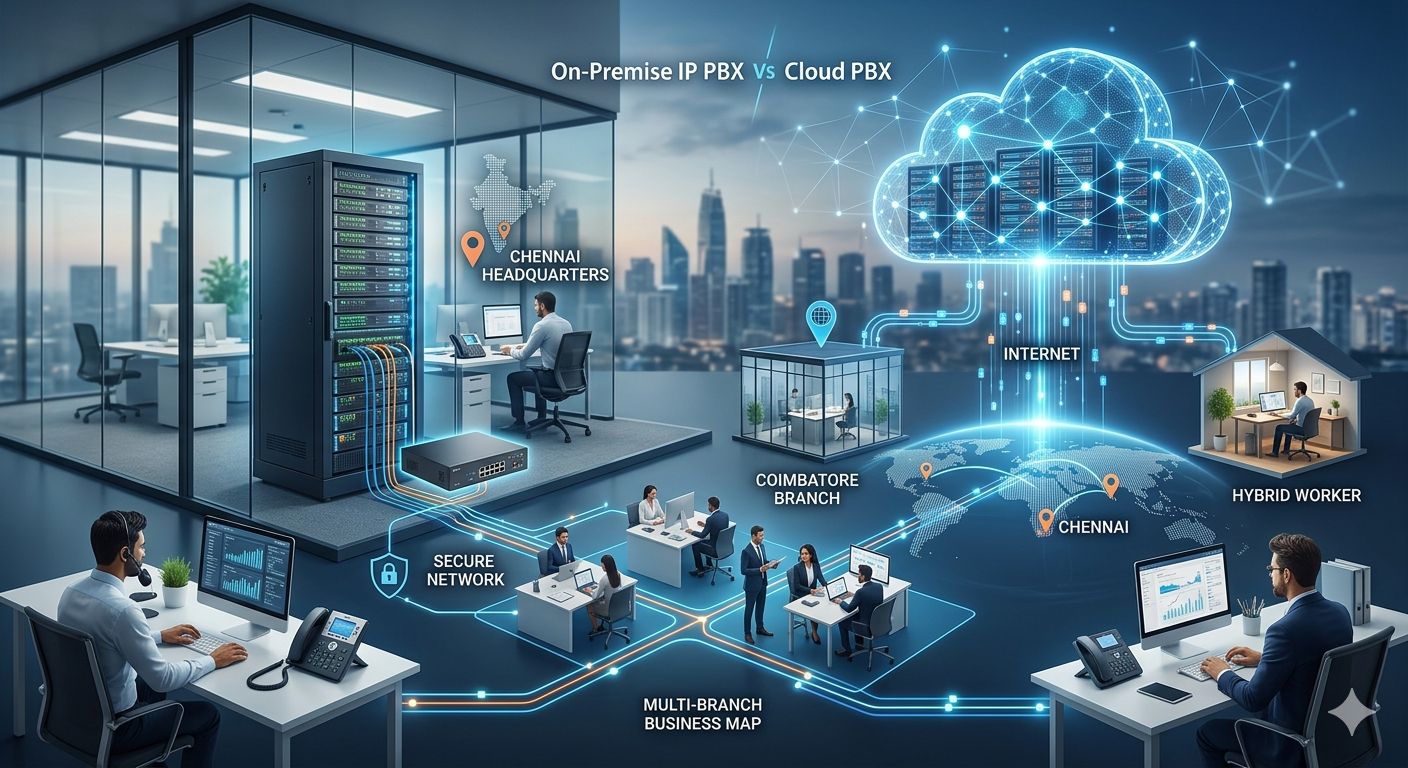
An on-premise IP PBX (Internet Protocol Private Branch Exchange) is a physical server located within your office. It uses your internal network (LAN) to route calls. Think of it as owning your own car. You pay for it upfront, you decide when it gets an oil change, and you have total control over where it goes. For businesses that need high security and have the IT staff to manage it, this is often the go-to.
What is Cloud PBX?
Cloud PBX (also known as Hosted PBX) is a virtual phone system provided by a service provider over the internet. There is no heavy hardware on-site. Instead, your “server” lives in a secure data center. This is more like a premium ride-sharing service or a long-term lease. You pay a monthly fee, and the provider handles the maintenance, updates, and infrastructure.
The Multi-Branch Struggle: Common Pain Points
Managing communication across several locations—say, a head office in Chennai and satellite branches in Coimbatore—presents unique challenges:
-
Inter-office Costs: If branches are calling each other using traditional lines, those bills add up.
-
Management Nightmare: Updating a directory or changing an extension shouldn’t require a road trip to every branch.
-
Inconsistency: When the Coimbatore branch has a different system than Chennai, customers feel the friction.
-
Scalability: Adding five new employees in a new branch shouldn’t take three weeks of hardware installation.
Understanding the Difference between PBX and EPABX systems is a great starting point, but for multi-site setups, the “where” of the server matters most.
Cost Analysis: Upfront Investment vs. Monthly Subscription
The Capital Expense (CapEx) of On-Premise
With on-premise, you are looking at a significant initial investment. You need to buy the server, the licenses, and potentially the gateways. However, once paid for, your monthly costs are primarily for your SIP trunks (the “lines”) and power. Over 5-7 years, this is often the cheaper route for large, stable offices.
The Operational Expense (OpEx) of Cloud
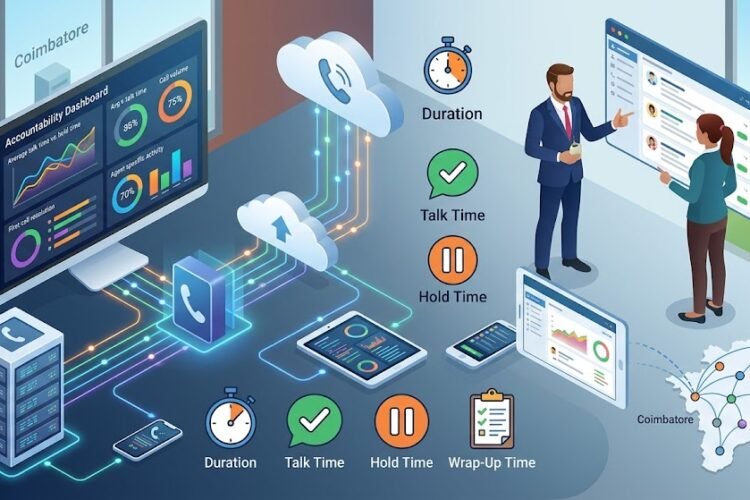
Cloud PBX thrives on a “Pay-as-you-grow” model. There’s almost zero upfront cost (aside from the IP phones themselves). This is perfect for businesses that want to keep their capital fluid. If you are looking at a call center cost comparison, you’ll find that cloud systems often win on initial speed-to-market.
Scalability: The Speed of Growth
In a multi-branch environment, growth isn’t always symmetrical. Your Chennai office might be shrinking while your Coimbatore distribution center is exploding.
Cloud PBX’s Secret Weapon
Cloud systems are infinitely scalable. Need 10 more extensions in Coimbatore tomorrow? Just log into a portal and click a button. Because it’s internet-based, you can even set up a cloud call center in a matter of hours, not days.
The On-Premise Ceiling
With on-premise, you are limited by the physical capacity of the hardware you bought. If your server supports 50 users and you hire user number 51, you might need to buy a whole new card or a bigger server. It requires careful IP PBX lifecycle management to ensure you don’t outgrow your tech too quickly.
Control and Security: Who Holds the Keys?
Data Sovereignty and On-Premise
For some industries—banking, healthcare, or high-end manufacturing—data must stay within the building. With an on-premise system, your voice data doesn’t live on someone else’s server. You have total control over your security protocols.
The Reliability of the Cloud
While “losing control” sounds scary, cloud providers often have better security and uptime than a small business IT closet. They have redundant power, multiple internet feeds, and 24/7 monitoring. If you’re worried about securing IP telephony, cloud providers do a lot of that heavy lifting for you.
Reliability: What Happens When the Internet Goes Down?
This is the biggest “fear factor” for multi-branch managers.
-
Cloud Vulnerability: If your internet goes out at the Coimbatore branch, your Cloud PBX goes dark at that location. However, calls can usually be automatically redirected to mobile apps or other branches.
-
On-Premise Resilience: If you have a hybrid IP EPABX, you can have local phone lines (PSTN/GSM) as a backup. Even if the internet fails, the local office can still make and receive calls.
For sites with unstable internet, many choose a hybrid vs pure VoIP system to get the best of both worlds.
Maintenance and IT Overhead
The “DIY” Nature of On-Premise
On-premise systems require an IT person who knows what they’re doing. You need to handle network infrastructure maintenance and ensure the IP PBX maintenance guide is followed religiously.
The “Hands-Off” Appeal of Cloud
With Cloud, the provider is your IT team. Updates happen automatically overnight. You don’t need to worry about hardware failure or server fans dying in the middle of a heatwave. This allows your team to focus on business, not fixing phone lines.
Hardware Requirements and Integration
Whether you go Cloud or On-Premise, your choice of hardware matters. Both systems work beautifully with IP phones from Grandstream, Asttecs, or Flyingvoice.
If you have existing analog infrastructure in one branch but want to move to a modern system, you can use an FXS gateway to connect analog extensions. This is a great way to save money during a transition.
Which One is Right for Your Multi-Branch Business?
Choose On-Premise if:
-
You have a large, centralized IT team.
-
You already have an enterprise-grade server room.
-
You require absolute control over data for compliance.
-
You want to avoid recurring monthly per-user fees.
Choose Cloud PBX if:
-
You have many small, geographically dispersed branches.
-
You have a lot of remote or mobile workers.
-
You want to avoid a massive upfront bill.
-
You need to scale up or down rapidly.
Many businesses in Tamil Nadu find that a cloud telephony service provider offers the most flexibility for the modern economy.
The Role of Gateways in Multi-Branch Connectivity
Often, the “Difference between on-premise IP PBX and Cloud PBX for multi-branch offices” is bridged by clever hardware. For example, using a Dinstar GSM gateway allows you to route mobile calls through your PBX, significantly reducing costs regardless of where your server sits.
If you are strictly looking at cost-cutting, reducing monthly bills via VoIP integration is much easier to manage across multiple branches when using a unified Cloud or centralized On-Premise system.
Final Verdict: The Multi-Site Winner
For most modern businesses with 2 to 20 branches, Cloud PBX is becoming the standard. The ease of management, the lack of hardware maintenance, and the ability to have a unified “One Office” feel—where a caller can be transferred from Chennai to Coimbatore seamlessly—outweighs the long-term cost savings of on-premise for many.
However, for factories or large corporate campuses where internal call volume is massive and internet stability is a concern, a centralized On-Premise IP PBX remains a powerful, secure, and cost-effective workhorse.
Frequently Asked Questions
Can I use my existing analog phones with a Cloud PBX?
Yes, but you will need an ATA (Analog Telephone Adapter) or an FXS Gateway. However, to get the most out of features like presence and HD voice, upgrading to IP phones is recommended.
Does Cloud PBX work for call centers?
Absolutely. In fact, most modern VoIP call center solutions are cloud-based because they integrate easily with CRMs and allow for remote agents.
Is the call quality better on On-Premise systems?
Not necessarily. Call quality depends on your network’s “Quality of Service” (QoS) and internet bandwidth. If your network is optimized, crystal-clear calls are possible on both.
What is the typical cost for a 20-user setup?
For on-premise, you might pay more upfront for the server. For a detailed breakdown, check our guide on IP PBX price for 20 users.
How do I handle maintenance for an On-Premise system?
Regular backups and firmware updates are key. You should follow a maintenance checklist or sign an AMC (Annual Maintenance Contract) with a local provider.