The Power of Integrating IP PBX with Your CRM: How Smart Businesses in Chennai and Coimbatore Are Closing More Deals
Picture this: your sales executive picks up an incoming call, and before they even say “hello,” they already know the caller’s name, their last three orders, the complaint they raised two weeks ago, and the quote that’s still sitting unanswered in their inbox. No frantic searching. No “can you hold while I pull up your details.” Just a smooth, informed conversation that makes the customer feel genuinely valued.
That’s not a fantasy feature reserved for large enterprises with deep pockets. It’s what happens the moment you connect your IP PBX system with your CRM software — and it’s one of the most underrated upgrades a growing business in Chennai or Coimbatore can make this year.
Most business owners think of their phone system and their CRM as two completely separate tools. One handles calls, the other handles customer data. But when these two systems start talking to each other, something interesting happens: your phone system stops being just a communication tool and becomes a genuine sales and service engine.
Let’s break down exactly how this integration works, why it matters, and what it can realistically do for your business.
What Does IP PBX and CRM Integration Actually Mean?
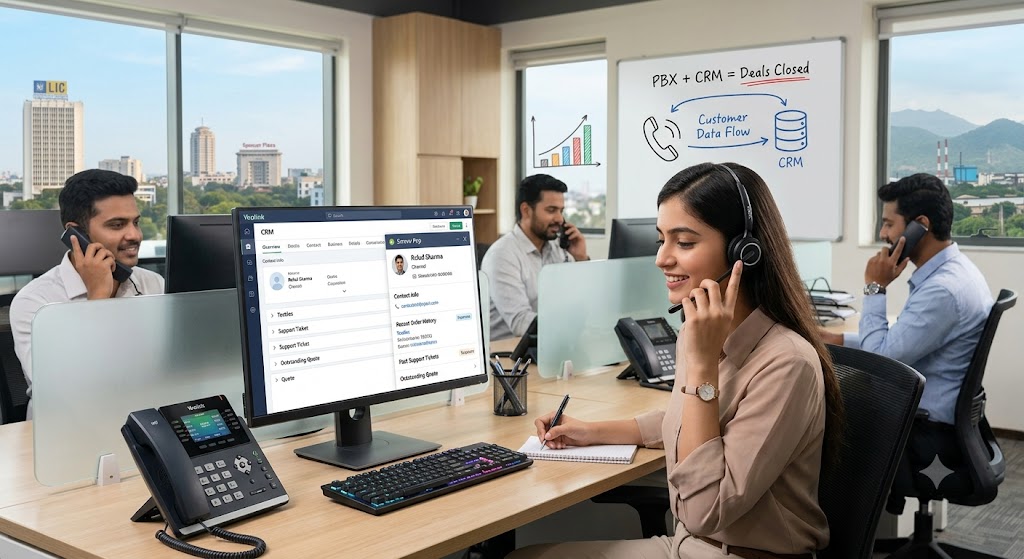
In simple terms, integrating your IP PBX with a CRM means your phone system and your customer database are linked so that call activity and customer records update each other automatically. When a call comes in, the system checks the caller’s number against your CRM, pulls up their profile, and displays it on your agent’s screen in real time.
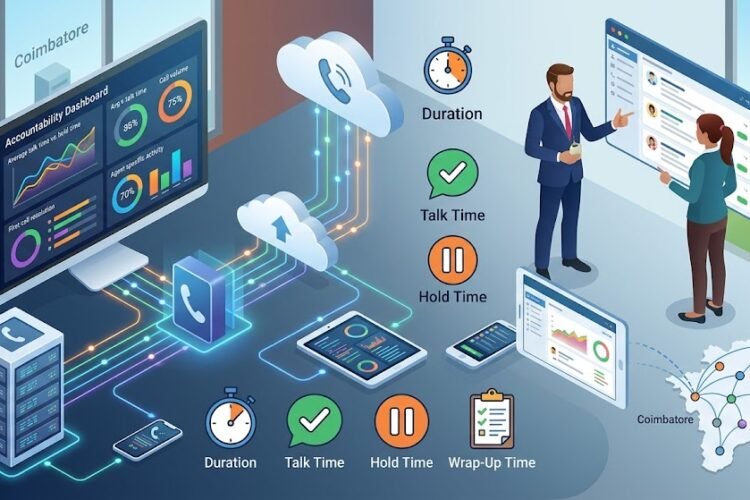
On the flip side, every call — its duration, outcome, notes, and recording — gets logged straight into that customer’s CRM record without anyone typing a single word manually.
If you’re still unclear on the fundamentals of how a modern business phone system works before layering on integrations, it helps to first revisit what an IP PBX system is and how it functions as a complete guide for modern businesses.
Why This Isn’t Just a “Nice to Have” Anymore
A few years ago, CRM integration was considered a luxury feature for call centers and large sales teams. That’s changed. With remote work, hybrid teams, and customers who expect instant, personalized responses, the businesses winning today are the ones where every team member — from the receptionist to the regional sales head — has context before they speak.
Textile exporters, real estate agencies, healthcare clinics, and even small trading firms across Coimbatore are now realizing that the phone system sitting quietly in the corner of their office can become their most powerful sales tool, provided it’s connected properly.
The Real Business Benefits of Linking Your Phone System with Your CRM
Faster, More Personal Customer Interactions
When agents see the caller’s history the second the phone rings, conversations shift from reactive to proactive. Instead of asking “can I get your order number,” they’re saying “I see your shipment was delayed last week, let me update you on that right away.” This single change dramatically improves the customer experience, and it ties directly into the goal of boosting customer satisfaction through faster call handling.
No More Missed Follow-Ups
One of the biggest revenue leaks in small and mid-sized businesses is the simple failure to follow up. A prospect calls, gets a verbal quote, and then the details vanish into someone’s memory or a scribbled sticky note. With CRM integration, every inbound and outbound call automatically creates a record, a timestamp, and often a follow-up reminder. Nothing falls through the cracks because nothing depends on human memory anymore.
Click-to-Call Saves Real Time
Sales teams that make dozens of outbound calls a day waste a surprising amount of time simply dialing numbers manually. Integrated systems allow agents to click a customer’s number directly inside the CRM, and the IP PBX places the call instantly. Multiply those saved seconds across dozens of calls a day, and across a whole team, and you’re looking at meaningful productivity gains — the same kind of efficiency improvements discussed in our piece on increasing employee productivity with modern phone systems.
Smarter Call Routing Based on Customer Value
Not every caller needs the same level of attention. With CRM data feeding into your phone system, you can automatically route high-value clients to senior staff, flag repeat complaint callers for priority handling, or send new leads straight to your fastest-closing salesperson. This kind of intelligent routing works hand-in-hand with a properly configured multi-level IVR setup on your IP EPABX system.
Automatic Call Recording for Training and Accountability
Every conversation your team has with a customer is a learning opportunity — but only if you can actually review it. CRM-linked systems store recordings directly against each customer’s profile, making it effortless to pull up a specific interaction for quality checks or dispute resolution. This is especially valuable for support-heavy businesses, as covered in our guide on IP PBX systems with automatic call recording for customer support centers.
Better Reporting Means Better Decisions
Once your call data lives inside your CRM alongside your sales and support data, reporting becomes dramatically more useful. You’re no longer looking at “we made 200 calls this week” in isolation — you’re seeing which calls converted, which agents closed the most deals, and where bottlenecks are slowing down your pipeline. If you haven’t already, it’s worth reviewing which call center metrics actually matter before building out your reporting dashboards.
How the Integration Works Behind the Scenes
Screen Pop and Caller Identification
The moment a call arrives, the IP PBX sends the caller’s number to the CRM through an API connection. The CRM checks its database, finds a match, and “pops” the relevant screen for the agent — all within a second or two. No manual searching required.
Automatic Call Logging
Every call, whether answered, missed, or voicemail, gets written back into the CRM as an activity log. Over time, this builds an incredibly detailed, searchable history of every touchpoint you’ve had with a customer.
Click-to-Dial Functionality
Agents no longer need to switch between two separate applications. A phone icon next to a contact’s number inside the CRM triggers the IP PBX to place the call directly.
Data Syncing Across Departments
Sales, support, and even accounts teams working off the same CRM benefit from shared visibility. A support agent can see that accounts flagged a payment issue before picking up the call, avoiding awkward or repetitive conversations.
Choosing the Right Setup for Integration
Not every phone system integrates equally well with every CRM. Compatibility, API support, and licensing all play a role in how smooth (or painful) this process turns out to be.
On-Premise vs Cloud-Based IP PBX for CRM Integration
Cloud-based systems tend to offer smoother, faster integrations because they’re built with modern APIs in mind. If you’re deciding between the two, our detailed comparison of cloud-based IP PBX systems for 2025 is a good starting point before committing to hardware.
Security Considerations When Linking Systems
Whenever call data and customer data are connected, security needs to be a priority — not an afterthought. This is particularly true for businesses handling sensitive financial or personal information. Our article on secure IP PBX systems with end-to-end encryption for financial firms covers what to look for when data protection is non-negotiable.
Mobile Access for Field and Remote Teams
If your sales team is frequently out meeting clients, mobile CRM access paired with your phone system extends these same benefits beyond the office. Field teams in industries like real estate have already seen strong results, as detailed in our piece on IP EPABX systems with mobile app integration for real estate teams.
Measuring the Return on Your Investment
CRM-PBX integration isn’t free, and it’s fair to ask whether it’s worth the cost. The good news is that the productivity gains, reduced missed opportunities, and improved customer retention typically show up quickly in the numbers. For a structured way to evaluate this, take a look at how to measure ROI when upgrading your IP telephony setup.
Common Mistakes Businesses Make During Integration
Skipping the Planning Phase
Businesses often rush into integration without mapping out which fields need to sync, who needs access to what data, and how call recordings will be stored. This leads to messy implementations that need to be redone later.
Choosing a CRM and PBX That Don’t Talk to Each Other Well
Not every combination plays nicely. Before committing, always confirm that your chosen CRM has native or third-party API support for your specific IP PBX brand and model.
Ignoring Staff Training
Even the best integration fails if your team doesn’t know how to use it. A short training session on click-to-dial, screen pops, and call logging goes a long way toward adoption.
Overlooking the Basics of Unified Communication
Integration works best as part of a bigger communication strategy, not as an isolated project. It’s worth reviewing why your business needs a unified communications strategy to make sure your CRM-PBX link fits into a wider, coherent system.
Is CRM-PBX Integration Right for Your Business?
If your team spends significant time on the phone with customers — whether that’s sales calls, support tickets, or account management — the answer is almost certainly yes. Even small businesses with just five or six phone lines see tangible benefits once they stop treating calls as disconnected events and start treating them as data points feeding a bigger customer relationship picture.
Larger operations, like call centers or businesses managing high call volumes, will see even sharper gains because the efficiency improvements compound across dozens or hundreds of daily interactions. If you’re running or planning a larger setup, understanding the fundamentals of high-performance call center infrastructure alongside CRM integration will help you scale without chaos.
Frequently Asked Questions
Does CRM integration work with any IP PBX system?
Not universally. Compatibility depends on whether your IP PBX supports API connections or has existing plugins for popular CRMs. It’s best to confirm compatibility with your provider before purchasing either system.
Will integrating my CRM with my IP PBX slow down my phone system?
No, when set up correctly, the integration runs in the background and shouldn’t affect call quality or speed. Poor performance usually points to network or configuration issues rather than the integration itself.
Can small businesses with just a few employees benefit from this integration?
Yes. Even a two or three-person sales team benefits from automatic call logging and click-to-dial, since it removes manual data entry and reduces missed follow-ups, which matter just as much for small teams as large ones.
Is it expensive to integrate a CRM with an IP PBX system?
Costs vary depending on the CRM and PBX brands involved, along with whether custom API work is needed. Many modern cloud-based IP PBX systems offer built-in or low-cost integration options that keep this affordable for most businesses.
Do I need technical staff to manage this integration?
Basic setups can often be handled by your IP PBX provider during installation. However, ongoing management and troubleshooting are easier with at least one internal staff member familiar with both systems.
Can call recordings from the IP PBX be accessed directly inside the CRM?
Yes, most integrations allow recordings to be stored and linked directly to the corresponding customer record inside the CRM, making it easy to review specific interactions later.