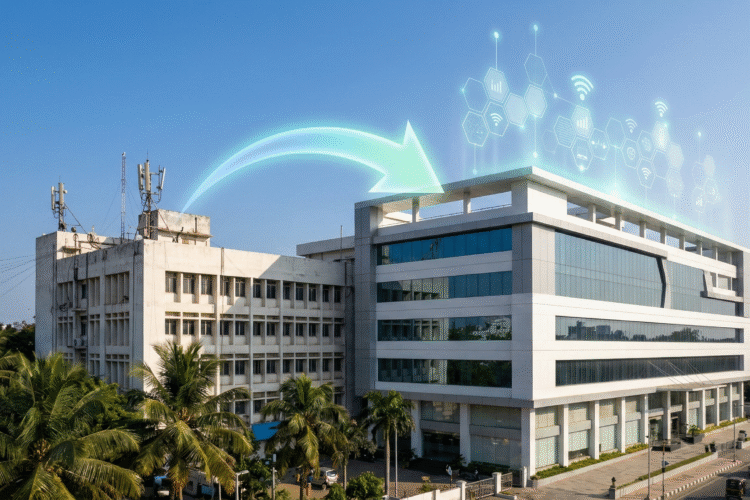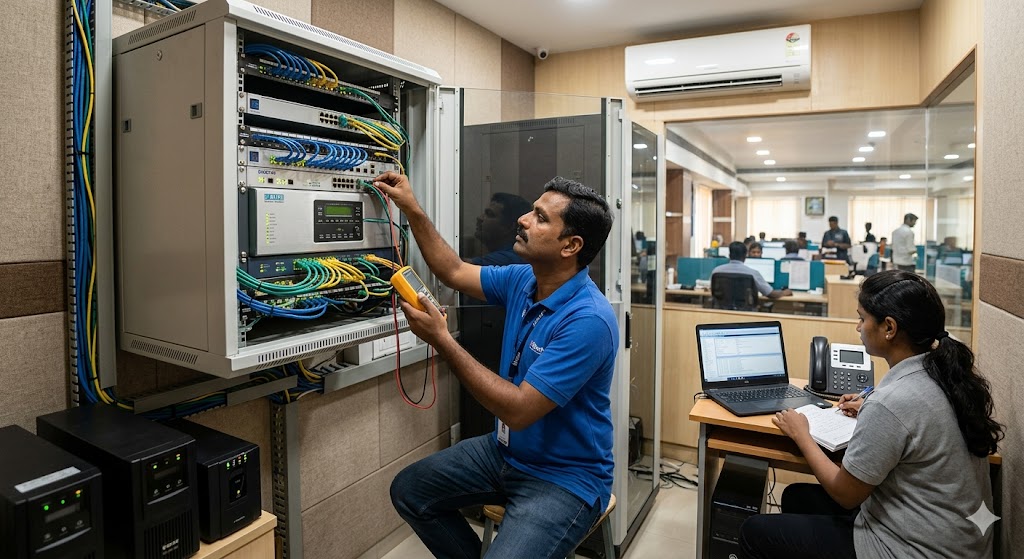
In the fast-paced corporate hubs of Chennai and Coimbatore, a missed call isn’t just a minor inconvenience—it’s a lost contract. As businesses transition from dusty copper wires to sleek, high-speed data networks, the heart of the office has shifted. We are no longer just talking about phones; we are talking about IP-PBX systems that integrate with CRMs, mobile apps, and cloud servers.
But here is the catch: even the most sophisticated IP-PBX system with CRM integration can fail if it’s neglected. Imagine a high-stakes client call dropping because of a firmware glitch or a dusty server rack overheating. This is where a proactive epabx system maintenance checklist becomes your business’s best friend.
Understanding the Lifeblood of Modern Connectivity
Before we dive into the nuts and bolts of maintenance, it’s vital to understand what you are protecting. A modern IP-EPABX doesn’t just route calls; it acts as a unified communication hub. Whether you are using a hybrid IP-EPABX for remote work or a dedicated VoIP call center solution, the hardware and software must work in perfect harmony.
Why Maintenance Isn’t Optional
Most businesses treat their phone systems like a “set it and forget it” appliance. However, telecommunications technology evolves rapidly. Without regular checkups, you face:
-
Security Vulnerabilities: Outdated software is a playground for toll fraud.
-
Voice Quality Issues: Jitter and latency can turn a professional pitch into a garbled mess.
-
Hardware Failure: Overheating and power surges can fry expensive interface cards.
The Comprehensive EPABX System Maintenance Checklist
To keep your office running at peak efficiency, you need a structured approach. Use this epabx system maintenance checklist to ensure your NEC EPABX solutions or Matrix systems never skip a beat.
Daily Monitoring Tasks
Checking System Logs
Every modern IP-PBX generates logs. A quick 5-minute review every morning can reveal failed login attempts (potential hacking) or synchronization errors with your Dinstar GSM Gateway.
Power Supply and Environment
Ensure the server room or rack area is cool. High humidity and heat are the silent killers of telecommunication hardware. If you are in a coastal area like Chennai, salt-air corrosion is a real threat that requires sealed, climate-controlled environments.
Weekly Performance Audits
Audio Quality Testing
Conduct a few test calls across different extensions. If you notice echoes or delays, it might be time for optimizing voice quality on your Fanvil phones.
Backup Verification
Automated backups are great, but are they actually working? Once a week, verify that your configuration files are being saved to a secure cloud or off-site location. This is a core part of any IP phone system backup and recovery guide.
Monthly Security and Software Updates
Firmware Upgrades
Manufacturers like Grandstream and Flyingvoice frequently release patches. Keeping your Grandstream IP phones updated ensures you have the latest security protocols to prevent toll fraud.
Password Management
Change administrative passwords and ensure that no “default” credentials remain on your Dinstar FXO Gateways.
Solving the “Pain Points” of Office Communication
Let’s be honest: Managing a phone system can be a headache. Here are the most common frustrations businesses face and how a solid maintenance plan solves them.
Problem 1: Unexpected Downtime
Nothing stops productivity faster than a dead dial tone. By following a professional EPABX setup and repair schedule, you move from “reactive” repairs to “proactive” prevention.
Problem 2: Hidden Costs and Toll Fraud
If your system isn’t maintained, hackers can “piggyback” on your lines to make international calls. Regular audits of your GSM Gateway systems can flag unusual traffic patterns before your bill hits five figures.
Problem 3: Poor Integration with New Tech
As you hire more people, you might find your old system can’t handle the load. A maintenance check allows you to assess if you need a scalable communication upgrade to support your growing team.
The Hardware Factor: Maintaining Your Gateways and Phones
Maintenance isn’t just about the “brain” (the PBX); it’s also about the “limbs” (the phones and gateways).
Caring for IP Phones
Whether you use Flyingvoice for remote teams or Asttecs for budget-friendly VoIP, the physical hardware needs care:
-
Sanitization: Clean handsets monthly to prevent the spread of germs and keep buttons from sticking.
-
Cable Check: Ensure Ethernet cables aren’t crimped or frayed, which causes “ghost” disconnects.
Gateway Synchronization
Your FXS and FXO gateways act as the bridge between the digital and analog worlds. Ensure they are synced correctly with your local service provider to avoid “line busy” errors during peak hours.
The Role of Professional Support in Maintenance
While a basic epabx system maintenance checklist can be handled by an in-house IT person, some things require an expert touch. In regions like Tamil Nadu, having a local EPABX service provider in Coimbatore or a Matrix service centre in Chennai is invaluable.
Annual Maintenance Contracts (AMC)
An AMC ensures that a certified technician visits your site quarterly to perform deep-cleaning of hardware, stress-test the network, and provide IP PBX maintenance that goes beyond simple software updates.
When to Consider an Upgrade?
Sometimes, maintenance isn’t enough. If your hardware is over 7 years old, it might be more cost-effective to look at the future of business telephony and switch to a cloud-based IP-PBX.
Advanced Troubleshooting: Deep Dive into IP Connectivity
For the tech-savvy office manager, maintenance often involves digging into the network layer.
Monitoring the Default Gateway
Connectivity issues often stem from the network router rather than the PBX itself. Knowing how to find your default gateway IP address is a fundamental skill for troubleshooting why your IP phones aren’t registering.
Network Infrastructure Maintenance
Your phone system is only as good as the wires it runs on. Periodically check your switches and routers. For a deep dive, refer to our network infrastructure maintenance guide.
FAQs: Everything You Need to Know About EPABX Maintenance
How often should I perform an EPABX maintenance check?
A basic physical check (power and heat) should be daily. A software and backup check should be weekly. A full security audit and firmware review should be conducted monthly.
Can I maintain my IP-PBX system myself?
Simple tasks like rebooting, cleaning phones, and checking logs can be done in-house. However, firmware updates and complex IP-EPABX lifecycle management should be handled by professionals to avoid system crashes.
What is the most common cause of EPABX failure?
Power surges and lack of proper cooling are the leading causes of hardware failure. On the software side, the most common issue is security breaches due to weak passwords.
How does maintenance help with call quality?
Regular maintenance includes clearing cache files, updating codecs, and checking network jitter. This ensures that your VoIP phone for domestic or business use remains crystal clear.
Is it worth repairing an old analog EPABX?
If your system is constantly breaking down, it is usually better to upgrade traditional PBX to IP-EPABX. The cost of maintenance for obsolete parts often exceeds the price of a modern, more efficient system.
Final Thoughts: A Smooth Connection is a Growing Business
Your communication system shouldn’t be a source of stress. By following a consistent epabx system maintenance checklist, you ensure that your team can focus on what they do best: serving customers and closing deals. Whether you are running a small startup or a massive call center infrastructure, the key to longevity is care.
Don’t wait for a system failure to take action. Start your maintenance routine today, or reach out to a professional intercom service provider to set up a worry-free plan for your business.