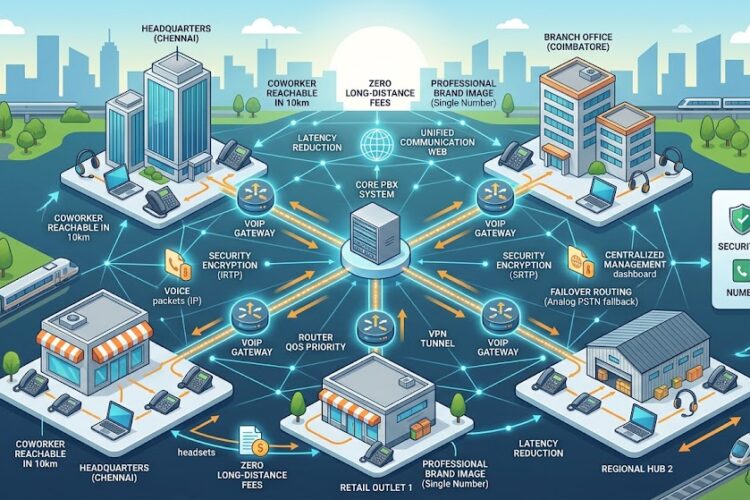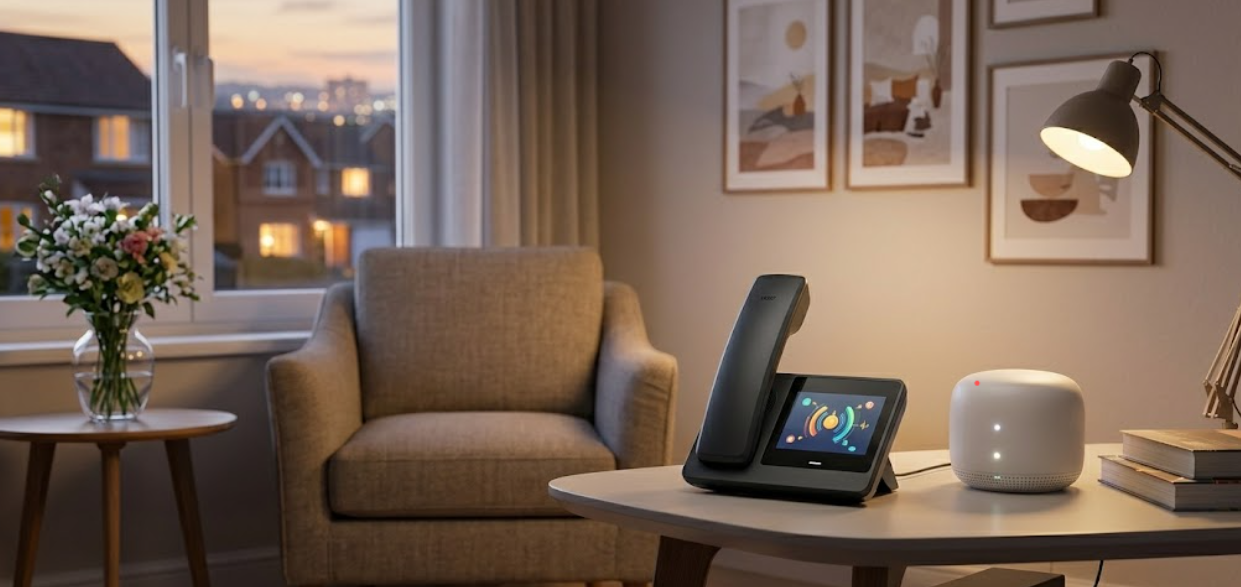
The way we talk at home is undergoing a massive transformation. If you’re still clinging to that dusty copper-wire landline, you’re essentially using a typewriter in the age of high-speed tablets. Enter the world of VoIP phone for domestic use—a technology that doesn’t just replace your home phone but upgrades your entire lifestyle.
Whether you are a remote worker, a family with relatives abroad, or someone living in a high-tech hub like Chennai or Coimbatore, transitioning to Voice over IP (VoIP) is the smartest move you can make this year. In this comprehensive guide, we’ll dive deep into why domestic VoIP is the future, how to set it up, and how to choose the right hardware to keep your home connected.
Why Your Home Needs a VoIP Phone for Domestic Use
For decades, home phones were simple: you plugged a cord into the wall, and it worked—until it didn’t. Traditional PSTN (Public Switched Telephone Network) lines are expensive to maintain and offer zero flexibility.
A VoIP phone for domestic use leverages your existing internet connection to transmit voice data. This means as long as you have Wi-Fi or an Ethernet connection, you have a crystal-clear phone line.
The Death of the Traditional Landline
Most major telecom providers are phasing out traditional copper lines. They are difficult to repair and limited in bandwidth. By switching to a digital solution now, you are future-proofing your home communication. If you’ve already explored what is an IP EPABX system, you know that the same technology used by massive corporations is now affordable enough for your living room.
Key Benefits of Domestic VoIP Systems
1. Massive Cost Savings
The most immediate “win” when switching to a VoIP phone for domestic use is the reduction in monthly bills. Traditional providers charge for the line rental, local calls, and exorbitant rates for international dialing. With VoIP, most domestic calls are bundled into your data plan or cost a fraction of a cent. For families with international ties, the savings are life-changing.
2. Crystal Clear Audio Quality
Have you ever struggled to hear a loved one because of “static on the line”? That is a symptom of aging copper wires. Modern VoIP hardware, such as Grandstream IP phones, utilizes high-definition voice codecs. This ensures that every conversation sounds like the person is standing right next to you.
3. Flexibility and Portability
Unlike a landline, a VoIP number isn’t tied to a physical socket. You can take your VoIP-enabled handset or use a “softphone” app on your smartphone to receive home calls while you are on vacation or at the office. This is particularly useful for remote work essentials, allowing you to maintain a professional presence even from your dining table.
Choosing the Right Hardware for Your Home
Selecting the right device is crucial. You don’t need a 20-line operator console for your kitchen, but you do want something reliable.
Best Budget-Friendly Options
If you are looking for value without sacrificing quality, brands like Asttecs and Flyingvoice offer incredible entry-level models. When comparing Asttecs vs. Flyingvoice, focus on the ease of setup. Most domestic users prefer a “plug-and-play” experience.
High-Performance Home Office Sets
For those who run a business from home, a Fanvil IP phone is often the gold standard. These devices offer crystal-clear calls and often include color screens and programmable buttons for frequently dialed family members or colleagues.
Wireless Freedom
If you hate being tethered to a desk, look for Wi-Fi-enabled VoIP phones. This allows you to place your phone anywhere in the house where there is a strong internet signal, without running messy Ethernet cables through your hallways.
Step-by-Step: Setting Up Your Domestic VoIP System
Setting up a VoIP phone for domestic use is significantly easier than it was five years ago. You don’t need to be a network engineer to get it running.
Step 1: Check Your Internet Speed
VoIP doesn’t require much bandwidth, but it does require stable bandwidth. A standard 10 Mbps connection is more than enough for high-quality voice calls, provided your ping (latency) is low.
Step 2: Choose a Provider
You need a SIP (Session Initiation Protocol) provider. This is the company that gives you your phone number and routes your calls. Many local cloud telephony service providers now offer specific packages tailored for residential users.
Step 3: Hardware Connection
-
Via Ethernet: Connect your IP phone directly to your router.
-
Via Wi-Fi: Power on the phone and connect it to your home network via the settings menu.
-
Analog Telephone Adapter (ATA): If you really love your old analog phone, you can buy a Dinstar FXS Gateway to bridge the gap between your old phone and the new digital world.
Step 4: Configuration
Most modern phones allow for “Auto-Provisioning.” You simply enter the credentials provided by your service provider into the phone’s web interface, and you’re ready to dial.
Common Pain Points and How to Solve Them
While VoIP is superior, it does come with a few hurdles that domestic users should be aware of.
Power Outages
Unlike old landlines that drew power from the telephone exchange, a VoIP phone for domestic use requires your home router to be on.
-
The Fix: Invest in a small UPS (Uninterruptible Power Supply) for your router and phone. This ensures you can still make emergency calls during a power cut.
Emergency Services (E911)
Because VoIP numbers are portable, emergency services don’t automatically know your physical location.
-
The Fix: Ensure you register your home address with your VoIP provider so that if you call emergency services, they know exactly where to send help.
Security Concerns
Any device connected to the internet can be a target. To prevent unauthorized access, always change the default passwords on your IP phone and ensure your home Wi-Fi is encrypted.
VoIP vs. Traditional Landlines: A Comparison for Homeowners
| Feature | Traditional Landline | VoIP Phone (Domestic) |
| Monthly Cost | High (Line rental + calls) | Low (Subscription based) |
| Audio Quality | Standard/Analog | High Definition (HD) |
| Features | Caller ID, Voicemail (Paid) | Call Recording, Video, CRM Integration |
| Mobility | Fixed to a wall jack | Use anywhere with Internet |
| Installation | Requires technician | DIY / Plug-and-Play |
As seen in our comprehensive guide to IP based systems, the shift toward digital is not just about saving money—it’s about adding functionality that analog systems simply cannot match.
Integrating Your Home Security with VoIP
One of the coolest features of modern domestic VoIP is integration. Since your phone is now part of your home network, it can “talk” to other devices.
For example, you can integrate your CCTV system with your phone. Some advanced IP phones allow you to view a live feed of your front door camera directly on the phone’s screen when someone rings the bell. This creates a unified security and communication hub for your household.
Furthermore, if you live in a large villa or a multi-story apartment, you can use IP speakers as an internal intercom system. You can “page” the whole house to let everyone know dinner is ready, all through the same network your phone uses.
The Future: AI and Domestic VoIP
By 2026, the VoIP phone for domestic use isn’t just for talking. We are seeing the rise of AI-powered chatbots and virtual assistants integrated into home phones. Imagine a home phone that can:
-
Automatically block 100% of spam and telemarketing calls.
-
Transcribe a voicemail from your doctor and send it to your email as text.
-
Translate a call from a foreign relative in real-time.
These aren’t sci-fi fantasies; they are features currently being rolled out in the latest firmware updates for high-end home VoIP systems.
Maintaining Your Home VoIP System
To keep your connection “crystal clear,” a little maintenance goes a long way. You don’t need a professional IP PBX maintenance guide for a single home phone, but you should:
-
Update Firmware: Check for software updates every few months to improve security.
-
Check Cables: Ensure your Ethernet cables aren’t pinched or frayed.
-
Monitor Data: If your calls sound “choppy,” someone in the house might be downloading a massive video game or streaming 4K video, hogging the bandwidth.
Frequently Asked Questions (FAQs)
Can I keep my existing home phone number?
Yes! This process is called “Porting.” Most VoIP providers allow you to move your existing landline number to their digital service so you don’t have to notify everyone of a change.
Does the computer need to be on to use a VoIP phone?
No. A standalone VoIP hardware phone connects directly to your router. You only need a computer if you choose to use “softphone” software instead of a physical desk phone.
What happens if my internet goes down?
If your internet is out, your physical VoIP phone won’t work. However, most providers allow you to set up “Call Forwarding on Unreachable.” This automatically sends calls to your mobile phone if your home internet fails.
Is VoIP for domestic use better than just using a mobile phone?
While mobile phones are great, a dedicated home VoIP phone offers better audio quality, no “dead zones” inside the house (if you have good Wi-Fi), and provides a central number for the entire family. It’s also much more comfortable for long conversations.
Can I use an IP phone in a different city?
Absolutely. If you move from Chennai to Coimbatore, you just pack your IP phone and plug it into the router at your new home. Your number stays exactly the same without any “relocation” fees from the provider.
Final Thoughts
The transition to a VoIP phone for domestic use is an inevitable step for the modern household. It offers a rare trifecta: it’s cheaper, it sounds better, and it does more. Whether you are looking to save on international calls or want a dedicated line for your home office that doesn’t drop calls, VoIP is the answer.
Don’t wait for the old copper network to fail. Explore the best IP EPABX systems or start small with a single high-quality handset today. Your ears (and your wallet) will thank you.