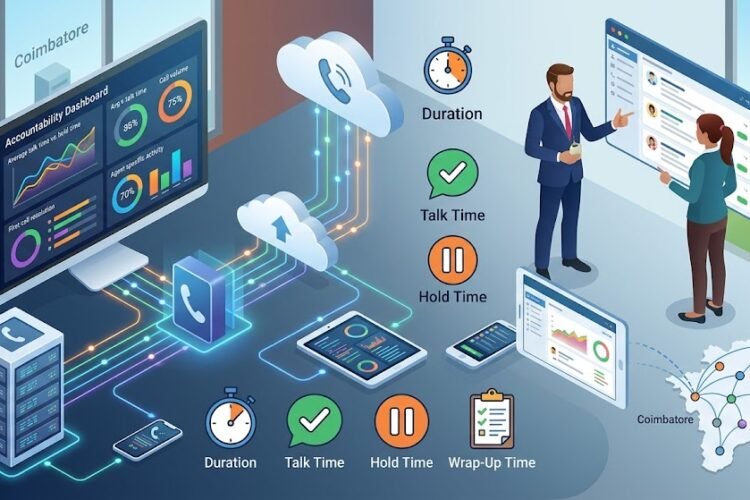
Why Customer Service Agents Need CRM-Linked Dashboards
Picture this: a customer calls in furious about a delayed order. Your agent picks up, and for the first ten seconds, there’s just… silence. They’re typing the customer’s phone number into a CRM search bar, waiting for records to load, flipping between three different tabs to find the order history, the last support ticket, and the customer’s purchase value. By the time they’ve pieced together who they’re even talking to, the customer has already repeated their complaint twice and their patience is gone.
This scene plays out thousands of times a day in call centers that haven’t connected their phone systems to their CRM. It’s not a training problem. It’s not an attitude problem. It’s an infrastructure problem — and it’s one that CRM-linked dashboards solve almost instantly.
What Is a CRM-Linked Dashboard, Really?
A CRM-linked dashboard is a unified screen that pulls live data from your CRM the moment a call connects, showing the agent everything relevant about that caller without a single manual search. Instead of a blank calling interface, agents see a real-time view: customer name, account history, previous tickets, purchase records, and even sentiment notes from earlier interactions.
This isn’t a nice-to-have feature bolted onto a phone system. It’s the difference between agents who react to problems and agents who anticipate them. When this kind of integration is built directly into your IP PBX system with CRM, the phone stops being just a phone — it becomes a decision-support tool.
Why “Just Looking It Up” Isn’t Good Enough
Some businesses assume that as long as agents can access CRM data, the job is done. But there’s a massive difference between accessible data and instantly visible data. Every second an agent spends searching is a second the customer spends listening to keyboard clicks and “just a moment please.” Multiply that across hundreds of calls a day, and you’re looking at hours of wasted agent time and a customer experience that feels perpetually behind schedule.
The Real Pain Points Agents Face Without This Integration
Let’s be honest about what actually happens on a typical support floor when systems aren’t connected.
Agents juggle multiple browser tabs — the CRM in one, the ticketing tool in another, sometimes a spreadsheet for escalations. Context gets lost between systems. A customer who called about a billing issue last week has to explain the entire situation again because the new agent has no visibility into that thread.
Managers, meanwhile, are stuck reviewing call recordings manually to understand what went wrong, because there’s no unified log connecting the call to the customer’s CRM record. This is exactly the kind of blind spot addressed by proper automated call logging, which removes the guesswork of manual entry and keeps every interaction tied to the right customer profile.
The Cost of Repeated Questions
Nothing frustrates a customer faster than repeating themselves. It signals — rightly or wrongly — that the company doesn’t know or care about their history. Research on customer experience consistently shows that repetition is one of the top three complaints in service interactions, right alongside long hold times and unresolved issues. A CRM-linked dashboard eliminates this entirely because agents see the full interaction history the moment the call rings through.
The Hidden Toll on Agent Morale
It’s not just customers who suffer. Agents who spend their day toggling between disconnected systems experience higher stress and burnout. Every additional click, every failed search, adds friction to a job that’s already emotionally demanding. Giving agents a single, intelligent view of the customer isn’t just about efficiency — it’s about making the job sustainable.
How Screen Pop Technology Changes the First Ten Seconds
The single biggest transformation a CRM-linked dashboard delivers is the screen pop — the moment a customer’s full profile appears on the agent’s screen the instant the phone rings, before they’ve even said hello.
This single feature, detailed further in our guide on screen pop functionality, turns a cold call into a warm one. The agent already knows the customer’s name, their order status, and their history of interactions. Instead of opening with “Can I get your account number?” they can open with “Hi Priya, I see you’re calling about your order from last Tuesday — let’s get that sorted.”
That shift in tone, from procedural to personal, is what separates forgettable service from service people actually remember.
Beyond the Greeting: Contextual Intelligence Mid-Call
Screen pop isn’t just about the first ten seconds — it continues to matter throughout the call. If a customer mentions a previous complaint, the agent can pull it up instantly rather than asking the customer to repeat details. This continuity is what builds trust, especially for businesses handling high call volumes where customers might speak to a different agent every time they call.
Why CRM Integration Depends on the Right Backend
None of this works without a phone system capable of talking to your CRM in real time. This is where the technical backbone matters. Businesses running on Zoho CRM integration or Salesforce integration get the benefit of two-way data sync — calls automatically log into the CRM, and CRM data automatically surfaces during calls.
This two-way relationship is what makes the dashboard genuinely useful rather than just another screen to glance at. Data flows both ways: call outcomes update the CRM automatically, and CRM insights inform how the call is handled.
Intelligent Call Routing Powered by CRM Data
A CRM-linked dashboard also enables something most businesses overlook: routing calls based on customer value or history before the agent even picks up. High-value accounts can be automatically routed to senior agents. Customers with unresolved tickets can be routed straight to the agent who last handled their case. This is explored in more depth in our piece on CRM data and intelligent call routing, which shows how routing logic tied to customer data reduces resolution time significantly.
Reducing Escalations Through Smarter Routing
When the right agent handles the right call from the start, fewer issues need escalation. Fewer transfers mean fewer frustrated customers repeating their story to a third or fourth person. It’s a quieter benefit than the flashy screen pop, but arguably just as impactful on customer satisfaction scores.
Measuring the Difference: What Changes When Dashboards Go Live
Businesses that implement CRM-linked dashboards typically see improvements across a few consistent metrics: average handle time drops because agents spend less time searching for information; first-call resolution rates rise because agents have full context immediately; and customer satisfaction scores improve because interactions feel personal rather than transactional.
These aren’t vanity numbers — they connect directly to the metrics that matter most in call center operations, which we break down further in our article on call center metrics that matter. If you’re tracking handle time, resolution rate, or customer effort score, CRM-linked dashboards are one of the most direct levers you can pull to improve all three simultaneously.
Faster Call Handling, Happier Customers
Speed matters, but only when it doesn’t come at the cost of accuracy. CRM-linked dashboards let agents move quickly precisely because they aren’t guessing. This balance between speed and correctness is what genuinely improves customer sentiment, a topic we’ve covered in boosting customer satisfaction with faster call handling.
The Manager’s View: Visibility Without Micromanaging
Supervisors benefit too. Instead of relying on spot-checks or customer complaints to catch problems, managers get a live view of call quality tied to customer outcomes. They can see which agents are resolving issues quickly, which calls are taking longer than expected, and where additional training might help — all without needing to sit in on every call.
Where ACD and IVR Fit Into the Bigger Picture
CRM-linked dashboards work best when they’re part of a broader intelligent call-handling system. Automatic Call Distribution (ACD) and Interactive Voice Response (IVR) systems determine how a call gets routed before it ever reaches an agent’s dashboard. Understanding how these systems work together, as explained in ACD vs IVR, helps businesses design a call flow where the right call reaches the right agent, who then sees the right data the instant they pick up.
It’s this layered approach — smart routing plus smart data — that actually delivers the customer experience most businesses are trying to build.
Employee Productivity: The Underrated Benefit
Everyone talks about customer experience, but the productivity gains for employees deserve equal attention. Agents who aren’t wasting time searching for information can handle more calls, with less stress, in the same shift. This directly ties into broader productivity improvements covered in our article on modern phone systems and employee productivity.
Happier, less-stressed agents also tend to stay longer, reducing the costly cycle of hiring and retraining that plagues many call centers.
Getting Started: What to Look for in a CRM-Linked Dashboard Solution
If you’re considering this upgrade, prioritize a few things. Look for real two-way sync with your existing CRM rather than one-way data dumps. Insist on screen pop as a core feature, not an add-on. Make sure call logging happens automatically, and confirm that routing logic can actually use CRM fields like customer tier or open ticket status.
Getting this right isn’t just a software decision — it often means rethinking your entire IP PBX system architecture to support these integrations properly.
Frequently Asked Questions
Does a CRM-linked dashboard work with any phone system, or does it need special hardware?
It depends on your existing setup. Most modern IP PBX systems support CRM integration through APIs, but older analog or hybrid systems may need an upgrade first to support real-time data exchange.
How long does it typically take to set up CRM integration with a call center system?
Implementation timelines vary based on the CRM platform and call volume, but most businesses see basic screen pop and call logging functioning within a few weeks of starting integration work.
Will this work with Zoho and Salesforce, or only one platform?
Both are commonly supported. The integration method differs slightly between platforms, but the end result — real-time data on the agent’s screen — is the same.
Do smaller businesses actually need this, or is it only useful for large call centers?
Even small teams benefit significantly, since a single agent handling all calls still wastes time searching for context. The relative time savings are often larger for smaller teams with fewer support staff to cover for each other.
Does CRM-linked dashboard data get stored securely?
Yes, when implemented properly, all data syncing between the CRM and phone system follows the same security protocols as your existing CRM access controls, so sensitive customer information stays protected.