Tracking Call Durations and Metrics for Better Accountability
Every business phone system generates a quiet stream of data that most companies never look at. Every ring, every hold, every dropped call, every ten-minute conversation that should have taken two — it all gets recorded somewhere in the system logs. The businesses that pull this data out and actually use it tend to run leaner, close deals faster, and catch problems before customers start complaining. The ones that don’t are usually the ones wondering why their sales numbers don’t match their call volume.
Tracking call durations and metrics for better accountability isn’t about micromanaging your team with a stopwatch. It’s about giving managers and employees a shared, honest picture of what’s actually happening on the phones — so coaching becomes specific instead of vague, and so nobody has to guess whether a slow quarter was a marketing problem or a follow-up problem.
Why Call Data Gets Ignored Until It’s a Crisis
Most businesses only start caring about call metrics after something goes wrong — a lost client complains about being on hold for fifteen minutes, or a manager notices the sales team’s close rate dropped and has no idea why. By then, the damage is already done, and the data that could have flagged the problem early was sitting unused in the system the whole time.
This is a pattern across almost every Coimbatore business we’ve worked with: the phone system is treated as a utility, like electricity, rather than as a source of operational intelligence. That mindset is expensive. A modern IP PBX system doesn’t just route calls — it timestamps, logs, and categorizes every single one, and that raw material is where accountability actually starts.
The Real Cost of Not Knowing
Without duration and outcome data, managers are left relying on memory and gut feeling. An employee who takes twenty short, unproductive calls a day can look busier than one who takes eight long, well-handled ones that actually convert. Without metrics, the busier-looking employee gets the praise and the better one gets overlooked. That’s not a training problem — it’s a visibility problem, and it fixes itself the moment you start measuring.
What “Call Metrics” Actually Means in Practice
Call duration is the easiest metric to track, but it’s the least useful one on its own. A two-minute call could mean an efficient support agent or a rushed one who didn’t solve the customer’s problem. The real value comes from combining duration with a handful of other data points your IP PBX is already capturing.
Talk Time vs. Hold Time vs. Wrap-Up Time
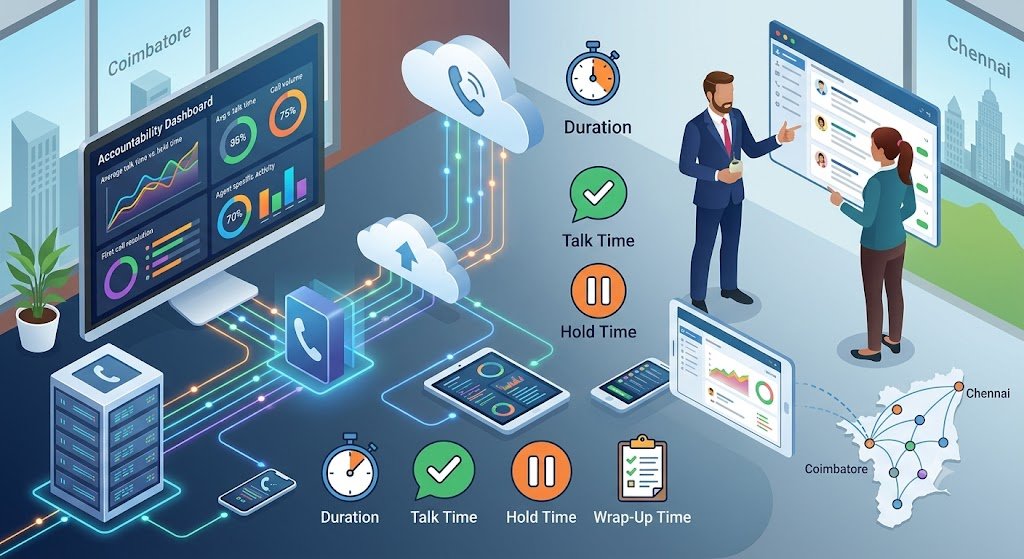
Total call duration should always be broken into three pieces: how long the agent was actually speaking with the customer, how long the customer was on hold, and how long the agent spent afterward updating notes or the CRM. A call that looks long on paper might actually have reasonable talk time dragged out by excessive hold periods — which points to a knowledge gap or a system lookup issue, not a people problem.
First Call Resolution Rate
This metric answers a question duration alone can’t: did the call actually solve the customer’s issue, or did it generate a callback? Businesses using automatic call recording alongside their PBX can go back and audit unresolved calls to find out exactly where the process broke down.
Call Volume by Agent and by Hour
Duration means little without context on volume. An agent handling 40 calls a day with an average call length of three minutes is doing something very different from one handling 10 calls a day at the same average length. Layering volume data over duration data is what turns a spreadsheet into an actual accountability tool.
Abandonment and Missed Call Rate
If customers are hanging up before they reach anyone, your duration metrics for connected calls will look great while your business quietly loses leads. This is one of the most overlooked call center metrics that matter, and it’s often the first sign that staffing or routing needs adjustment.
How Modern IP PBX Systems Capture This Automatically
The good news is that none of this requires manual logging or a separate piece of software bolted on as an afterthought. A properly configured IP EPABX system tracks call duration and metadata by default — the work is in surfacing that data in a way people will actually use.
Automated Call Logging Removes the Guesswork
Manual call logs are notoriously unreliable — busy agents skip them, or fill them in from memory hours later with details already fading. Automated call logging solves this at the source, capturing timestamps, duration, and caller ID the moment the call connects, with zero room for human error or forgotten entries.
Screen Pop and CRM Sync
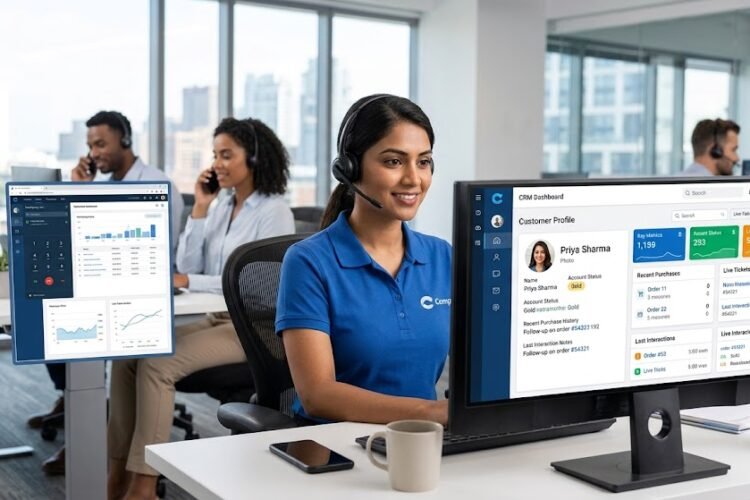
When a call connects and the customer’s record pops up automatically on the agent’s screen, two things happen: the agent handles the call faster because they already have context, and the system logs the interaction directly against that customer’s history without anyone typing it in. This is exactly what screen pop functionality is built to do, and it’s one of the simplest upgrades that pays for itself in reduced call handling time alone.
CRM Integration Ties Duration to Outcomes
Duration data is only powerful when it’s tied to what happened on the call — did it close, did it need escalation, did it go nowhere? Integrating your IP PBX with your CRM means every call record automatically attaches to a deal, ticket, or contact, so managers can filter by outcome and duration together instead of cross-referencing two separate systems.
Zoho and Salesforce as Common Starting Points
Most businesses in Coimbatore and Chennai are already running Zoho or Salesforce for their sales pipeline, which makes the integration path fairly direct. A Zoho integration guide or a look at how Salesforce integration enhances customer support is usually the fastest way to see this working in a familiar interface rather than a standalone dashboard nobody checks.
Turning Raw Numbers Into Real Accountability
Collecting the data is the easy part. The harder — and more valuable — part is building it into how the team actually operates, without turning it into a surveillance exercise that kills morale.
Set Benchmarks, Not Ultimatums
The fastest way to make call metrics feel punitive is to announce a strict target with no context (“every call under 3 minutes”) and enforce it rigidly. Benchmarks work better as a range built from your own team’s historical averages — if your top performers close deals in an average of 6 minutes with 90-second hold times, that’s your working benchmark, not an arbitrary number pulled from a blog post.
Use Duration Data for Coaching, Not Blame
A call that ran twice as long as average isn’t automatically a problem — it might be a complex deal that needed real relationship-building. The point of tracking is to notice patterns worth discussing, like an agent whose hold times are consistently high, and use that as a coaching conversation rather than a disciplinary one.
Route Calls Intelligently Based on What the Data Shows
Once you know which agents resolve calls fastest for which issue types, you can route future calls accordingly instead of by whoever’s free. This is the practical value behind using CRM data for intelligent call routing — the system learns from historical duration and outcome data to send calls where they’ll be handled best.
Give Agents Visibility Into Their Own Numbers
Accountability sticks better when it isn’t something handed down from a manager’s dashboard, but something the agent can see for themselves. Teams that get access to their own call metrics tend to self-correct pace and follow-up habits without needing to be told — nobody wants to be the outlier on their own scoreboard.
The Business Impact Beyond the Call Center
While call duration tracking often starts as a customer support initiative, its impact spreads quickly into sales performance and overall team productivity.
Faster Lead Follow-Up
Sales teams that track call duration alongside response time to new leads consistently outperform those that don’t measure either. Pairing this with better lead management through phone-CRM synergy means leads don’t sit untouched simply because nobody was tracking how long they’d been waiting.
A Cleaner Sales Funnel
When every call is logged with duration and outcome against the right deal record, sales managers get an honest view of where deals stall — whether it’s the first call, the follow-up, or the closing conversation. This is the foundation behind streamlining the sales funnel with unified communication, where the phone system becomes as much a sales tool as the CRM itself.
Higher Customer Satisfaction
Customers rarely complain about call duration directly — they complain about being made to wait, repeat themselves, or getting bounced between departments. Tracking hold time and transfer counts alongside overall duration is one of the clearest paths to boosting customer satisfaction with faster call handling.
Dashboards That Managers Actually Check
None of this data matters if it lives in a report nobody opens. This is why more businesses are moving toward CRM-linked dashboards that surface call metrics right where managers already spend their day, a shift explained well in why customer service agents need CRM-linked dashboards.
Getting Started Without Overhauling Everything
You don’t need to replace your entire phone system to start tracking call durations and metrics properly. Most businesses already running an IP PBX have this capability sitting unused, and the fastest path forward is usually a configuration and integration project rather than a hardware purchase.
Start by identifying which three or four metrics matter most for your business right now — talk time, hold time, first call resolution, and volume are a solid starting set for most sales and support teams. Connect those metrics to your CRM so they attach to real customer records instead of living in isolation. Then build a simple weekly review habit around them before adding anything more complex like automated coaching alerts or predictive routing.
Frequently Asked Questions
Does tracking call duration slow down or complicate the calling process for agents?
No — with a properly configured IP PBX, duration and metadata capture happens automatically in the background. Agents don’t need to log anything manually; the system timestamps calls the moment they connect and disconnect.
Will my team see this as micromanagement?
It depends entirely on how it’s introduced. Framed as a scorecard for punishment, it will feel invasive. Framed as a shared tool for coaching and workload visibility — and ideally made visible to agents themselves — it tends to be welcomed rather than resented.
What’s a reasonable average call duration to aim for?
There’s no universal number, since it depends heavily on industry and call type. A support call resolving a simple billing question should look very different from a B2B sales call. The better approach is building your own benchmark from your top performers’ historical data rather than importing an industry average.
Can this data integrate with the CRM we’re already using?
In most cases, yes. Zoho and Salesforce both support IP PBX integrations that sync call records, duration, and outcomes directly against existing contact and deal records without needing a separate reporting tool.
How long does it typically take to set up call metric tracking on an existing system?
For businesses already running a modern IP PBX, enabling detailed call logging and CRM sync is usually a configuration task that can be completed in a few days, not a system replacement project.