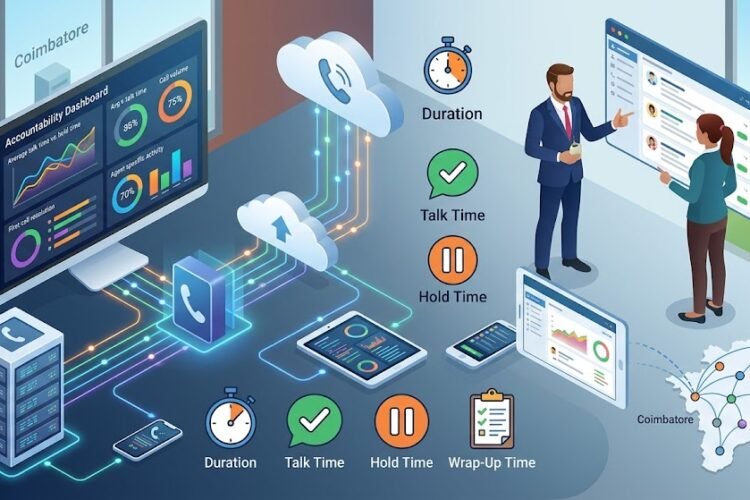
The traditional office is dead. Well, not entirely—but it’s certainly not what it used to be. Walk into any modern business today, and you’ll find empty desks alongside bustling workspaces. Some employees are video calling from home offices, others are taking client calls from coffee shops, and a few are actually at their assigned desks. This is the new reality of work, and it’s causing headaches for IT departments everywhere.
Picture this: Your sales manager is closing a deal from her home office in Chennai while simultaneously coordinating with team members scattered across Coimbatore, Mumbai, and even international locations. Meanwhile, your customer support team needs to seamlessly transfer calls between remote agents without customers even noticing the difference. How do you make this work without the communication chaos that plagued early pandemic work-from-home attempts?
The answer lies in modern IP PBX systems—the unsung heroes of hybrid work success. But before we dive into how these systems are revolutionizing flexible work arrangements, let’s understand what makes today’s workplace so challenging.
The Hybrid Work Revolution: Why Traditional Phone Systems Can’t Keep Up
Remember when “working from home” meant forwarding your office phone to your mobile and hoping for the best? Those days are thankfully behind us, but they highlight a fundamental problem: traditional phone systems were built for a world where everyone worked in the same building.
Traditional PBX (Private Branch Exchange) systems rely on physical phone lines and on-premises hardware. They’re excellent for what they were designed to do—manage calls within a single location. But ask them to handle a distributed workforce, and they crumble faster than a cookie in hot chai.
The challenges are real and frustrating:
The Extension Nightmare: In a traditional setup, extensions are tied to physical phones at specific desks. When employees work from home, they can’t simply take their desk phone with them. Call forwarding becomes a maze of button presses and forgotten codes.
The Missed Call Crisis: How many deals have been lost because a customer called during an employee’s remote work day? Traditional systems can’t intelligently route calls to wherever employees are actually working.
The Collaboration Breakdown: Video conferencing through one platform, voice calls through another, instant messaging through a third—employees juggle multiple tools just to communicate with colleagues sitting (virtually) next to them.
The IT Support Burden: Every time someone switches from office to home work, IT gets a ticket. Multiply that by dozens or hundreds of employees, and your IT team spends more time on phone system troubleshooting than strategic initiatives.
This is where modern IP EPABX systems fundamentally change the game.
Understanding IP PBX: The Technology Behind Seamless Hybrid Work
Before we explore solutions, let’s demystify the technology. An IP PBX (Internet Protocol Private Branch Exchange) is essentially a phone system that uses your internet connection instead of traditional phone lines. Think of it as moving from physical mail to email—the core function remains the same, but the delivery method transforms what’s possible.
Unlike traditional systems that require expensive copper wiring and bulky hardware, IP PBX systems operate over your existing network infrastructure. This seemingly simple change unlocks extraordinary flexibility.
When you set up an IP EPABX system for your office, you’re essentially creating a virtual telephone exchange that lives in software rather than hardware. This means your phone system can extend anywhere your internet reaches—which in today’s connected world is practically everywhere.
The Five Pillars of Hybrid Work Communication (And How IP PBX Delivers)
Pillar 1: Location Independence—Work From Anywhere Without Communication Barriers
The most obvious benefit of IP PBX systems is location independence, but the depth of this capability often goes unappreciated. It’s not just about making calls from home—it’s about creating a truly unified communication experience regardless of where employees work.
With an IP-based system, your Chennai office extension follows you wherever you go. Install a softphone app on your smartphone or laptop, and suddenly you’re just another node on the company’s communication network. Clients calling your office number reach you whether you’re at your desk, working from a café, or traveling internationally.
But here’s where it gets interesting: the system doesn’t just route calls to your current location—it can intelligently decide how to reach you based on your availability, preferences, and even the caller’s priority. Your system becomes a smart assistant that manages communications on your behalf.
Consider a typical scenario: You’re working from home in the morning, heading to the office for an afternoon meeting, then stopping at a client site on your way home. With traditional systems, you’d need to forward calls multiple times throughout the day. With IP PBX, your extension seamlessly follows you across devices without manual intervention.
Pillar 2: Unified Communications—One Platform for All Communication Needs
The modern worker doesn’t just make phone calls. They video conference with remote teams, send instant messages for quick questions, share screens for presentations, and collaborate on documents in real-time. Managing these functions across separate platforms creates friction that slows productivity.
IP PBX systems serve as the foundation for unified communications, integrating voice, video, messaging, and collaboration tools into a single platform. This integration isn’t just about convenience—it fundamentally changes how teams communicate.
Imagine this workflow: You receive a call from a client with a technical question. Rather than putting them on hold while you track down the right engineer, you instant message your technical team through the same interface. An engineer responds within seconds, and you seamlessly add them to the call with a single click. Need to share a screen to walk through a solution? That’s built into the same platform. After the call, the entire conversation history—including messages, call recordings, and shared files—is automatically logged for future reference.
This level of integration eliminates the “tool-switching tax” that drains productivity. Research shows that workers switch between applications an average of 1,200 times per day. Each switch requires cognitive effort and time. Unified communications through IP PBX systems dramatically reduces these context switches.
The benefits extend beyond individual productivity. When all communication happens within a single platform, managers gain visibility into team communications patterns. Who’s overloaded with calls? Which team members collaborate most effectively? Where are communication bottlenecks occurring? These insights enable data-driven decisions about team structure and resource allocation.
Pillar 3: Advanced Call Routing—Ensuring No Customer Call Goes Unanswered
In a hybrid work environment, traditional call routing strategies fall apart. You can’t simply route calls to the next available desk when half your team isn’t at their desks. IP PBX systems revolutionize call routing with intelligence that adapts to wherever your team is working.
Modern IP PBX systems offer routing strategies that would seem like science fiction to users of traditional phone systems:
Presence-Based Routing: The system knows whether each employee is available, busy, in a meeting, or offline. Calls automatically route to available team members rather than ringing unanswered at empty desks.
Skills-Based Routing: Beyond simple availability, the system can route calls based on employee expertise. A technical support call automatically finds someone with the relevant technical knowledge, even if they’re working remotely that day.
Time-of-Day Routing: Your Chennai office closes at 6 PM, but your Coimbatore team works until 7 PM. Calls automatically route to available employees in different time zones, extending your effective business hours without anyone working overtime.
Follow-Me Routing: Configure the system to try your desk phone first, then your mobile, then forward to a colleague—all within seconds and transparent to the caller.
Geographic Routing: For businesses with multiple locations, route calls to the nearest office or the office most relevant to the caller’s needs, regardless of which number they dialed.
Understanding the difference between ACD and IVR systems becomes crucial here. While IVR (Interactive Voice Response) handles the initial caller interaction and menu navigation, ACD (Automatic Call Distribution) intelligently distributes calls to the most appropriate agent. In a hybrid environment, these systems work together to ensure seamless customer experiences whether your team is in the office or distributed globally.
Pillar 4: Scalability and Flexibility—Grow and Adapt Without Infrastructure Overhaul
Traditional phone systems require careful capacity planning. Adding new employees means installing new desk phones, running cables, and potentially upgrading hardware if you exceed system capacity. Moving offices is a nightmare of rewiring and reconfiguration.
IP PBX systems throw out these constraints. Need to add 50 new employees for a seasonal project? Simply provision new user accounts and they’re operational in minutes. Expanding to a new city? Your new office connects to the same system over the internet—no separate phone system required.
This flexibility proved invaluable during the pandemic when businesses had to pivot to remote work almost overnight. Companies with modern IP EPABX systems transitioned to remote work in days rather than weeks or months.
But flexibility isn’t just about crisis response. It’s about adapting to the evolving nature of your business:
Seasonal Scaling: Retail businesses can easily add temporary staff during holiday seasons without permanent infrastructure investment.
Project-Based Teams: Create temporary communication groups for specific projects, then dissolve them when the project completes.
Testing New Markets: Opening a small satellite office to test a new market? Connect it to your existing system without the capital expense of a separate phone infrastructure.
Mergers and Acquisitions: Integrating newly acquired companies becomes far simpler when you’re not dealing with incompatible phone systems.
Pillar 5: Cost Efficiency—Doing More With Less
Let’s talk about money, because that’s ultimately what makes hybrid work possible at scale. IP PBX systems deliver cost savings that traditional systems simply cannot match.
Reduced Hardware Costs: Traditional PBX systems require substantial on-premises equipment—racks of expensive hardware that depreciate over time. IP PBX systems run on standard servers or even in the cloud, dramatically reducing hardware investment.
Lower Maintenance Costs: When was the last time you had to call a technician to fix your email server? That’s essentially what IP PBX maintenance feels like compared to traditional systems. Our IP PBX maintenance guide shows how routine upkeep becomes significantly simpler.
Eliminated Long-Distance Charges: With IP PBX, a call from your Chennai office to your Coimbatore branch uses your internet connection—no per-minute charges. International calls to remote employees similarly cost nothing beyond your regular internet service.
Real Estate Savings: Perhaps the biggest cost advantage comes indirectly. IP PBX systems make hybrid work feasible, and hybrid work reduces real estate needs. When employees work from home several days per week, you can support more employees with less office space through hot-desking arrangements.
Reduced Travel Costs: When video conferencing and screen sharing are seamlessly integrated into your phone system, many meetings that previously required travel can happen virtually without sacrificing effectiveness.
Consider a typical mid-sized company in Chennai with 100 employees. A traditional PBX installation might cost ₹15-20 lakhs initially, plus ₹2-3 lakhs annually in maintenance. An IP PBX system might cost ₹8-12 lakhs initially with ₹1-2 lakhs in annual costs. Over five years, that’s a savings of ₹10-15 lakhs—and that’s before considering the operational savings from reduced long-distance charges and real estate costs.
Real-World Implementation: What Hybrid Work Success Looks Like
Theory is great, but how does this work in practice? Let’s examine a few scenarios that illustrate how IP PBX systems enable hybrid work success.
Scenario 1: The Distributed Sales Team
A software company in Chennai has sales representatives scattered across Tamil Nadu and Karnataka. Some work from regional offices, others work from home, and a few are constantly on the road meeting clients.
With their IP PBX system, every sales rep has the same capabilities whether they’re at their desk or working remotely:
- Customers calling the main sales line reach the next available rep, regardless of location
- Reps can transfer calls to technical specialists for complex questions, even when those specialists are working from home
- Call recordings automatically sync to the CRM system, accessible from anywhere
- The sales manager monitors call volumes and team performance through a dashboard, identifying coaching opportunities without needing to be physically present
The result? Sales productivity increased by 30% after implementing the hybrid model because reps spent less time commuting and more time with clients, all while maintaining seamless internal communication.
Scenario 2: The Customer Support Center
A logistics company operates a customer support center that previously required all agents to work on-site to handle the complex call routing and coordination involved in their operations.
Their IP PBX implementation enabled a hybrid model where agents rotate between office and home work:
- The system queues calls and distributes them to available agents based on their skill level and current workload
- Supervisors can monitor call queues and agent performance from anywhere, jumping in to assist during high-volume periods
- Agents access the same client database and communication tools whether at home or in the office
- Screen recording and call monitoring ensure quality standards remain consistent across all locations
Customer satisfaction scores actually improved after moving to hybrid work because agents reported better work-life balance and lower stress levels, which translated into more patient and effective customer interactions.
Scenario 3: The Multi-Location Professional Services Firm
A consulting firm with offices in Chennai, Coimbatore, and Bangalore needed to operate as a single cohesive unit despite geographic separation.
Their IP PBX system created a virtual unified office:
- Clients calling any office can be seamlessly transferred to the right consultant regardless of their physical location
- Conference calls easily include participants from multiple offices and remote locations
- The firm presents a single phone presence to clients, with office location transparent to the caller
- Administrative staff can support all locations remotely, answering calls and managing schedules across offices
The firm expanded into two new cities with minimal communication infrastructure investment, replicating their setup in days rather than months.
Security Considerations: Protecting Your Hybrid Communications
With great flexibility comes great responsibility—specifically, the responsibility to secure your communications infrastructure. IP PBX systems face security challenges that traditional systems never encountered simply because they weren’t internet-connected.
The most significant threat is toll fraud and unauthorized access. Hackers who gain access to your IP PBX system can make international calls at your expense, racking up tens of thousands in charges within days. This isn’t theoretical—it happens regularly to businesses that don’t properly secure their systems.
Key security measures every hybrid work IP PBX implementation must include:
Strong Authentication: Implement complex passwords and change default credentials immediately. Better yet, use certificate-based authentication where possible. The weakest password in your organization is the vulnerability that attackers will exploit.
Network Segmentation: Your IP PBX traffic should be segregated from general network traffic on a separate VLAN. This limits the potential damage if other parts of your network are compromised.
Encryption: All voice traffic should be encrypted using protocols like SRTP (Secure Real-Time Transport Protocol). This prevents eavesdropping on sensitive business conversations, which is especially important when employees work from home networks that may not be as secure as office networks.
Regular Updates: IP PBX systems, like all software, receive regular security updates. Implement a process to apply these updates promptly—many successful attacks exploit known vulnerabilities that could have been prevented with timely updates.
Access Controls: Implement strict controls on who can make international calls or modify system settings. Most employees only need basic calling features—don’t grant administrative access broadly.
Monitoring and Alerts: Configure your system to alert you to suspicious activity like unusual call volumes, calls to high-cost international destinations, or login attempts from unexpected locations.
Regular Security Audits: Periodically review your system configuration, user permissions, and security logs. Many security issues are discovered not through attacks but through proactive review of system settings.
When setting up your IP EPABX system, security should be a primary consideration from day one, not an afterthought. The cost of implementing security measures is minimal compared to the potential cost of a breach.
Integration Capabilities: Making Your IP PBX the Center of Your Digital Workplace
An IP PBX system becomes truly powerful when integrated with other business tools. Modern systems offer APIs and pre-built integrations that connect your phone system with the applications your team uses daily.
CRM Integration: When a client calls, their record automatically appears on the agent’s screen before they even answer. Call history, notes from previous interactions, and relevant account information are immediately available. This single integration can reduce call handling time by 30-40% while improving customer satisfaction.
Collaboration Platforms: Integration with platforms like Microsoft Teams or Slack means employees can make calls directly from their collaboration tools without switching applications. Presence information syncs across platforms—when you’re on a call in one system, it shows as busy in all systems.
Helpdesk Systems: Support tickets automatically create when customers call, and ticket information displays during calls. This ensures nothing falls through the cracks and provides continuity when multiple agents work on the same issue.
Calendar Integration: The system knows when you’re in a meeting and adjusts call routing accordingly. Scheduled conference calls automatically create virtual meeting rooms with proper access controls.
Biometric Systems: Integration with biometric attendance systems enables advanced presence management. The system knows not just whether an employee is logged in, but whether they’re actually present in the office or working remotely.
These integrations transform your IP PBX from a simple phone system into the communication backbone of your entire digital workplace. The phone system becomes the glue that connects previously siloed applications into a cohesive workflow.
Choosing the Right IP PBX Solution for Your Hybrid Workforce
Not all IP PBX systems are created equal, especially when it comes to supporting hybrid work. Key factors to consider when evaluating solutions:
Cloud vs. On-Premises: Cloud-hosted IP PBX systems offer ultimate flexibility—they’re accessible from anywhere and require no on-premises hardware. On-premises systems offer more control and customization but require more management. Many businesses opt for hybrid approaches that balance these considerations.
Mobile Support: Your system should offer robust mobile apps that provide full functionality, not just basic calling. Employees should feel no difference between using the system from their desk phone versus their smartphone.
Quality of Service (QoS): Voice quality matters. Your system should include mechanisms to prioritize voice traffic over your network, ensuring clear calls even when network bandwidth is constrained.
Vendor Support: When something goes wrong with your phone system, you need fast, expert support. Research vendors’ support reputations, especially their experience supporting hybrid work deployments. Companies like Hi Tech Solutions in Chennai and Coimbatore specialize in these implementations and can provide local support.
Scalability: Your system should easily grow with your business without requiring wholesale replacement. Consider both short-term needs and longer-term growth plans.
Integration Ecosystem: Verify that the system integrates with the other tools your business uses. A system with limited integration capabilities will create more problems than it solves.
Compliance Requirements: If your industry has specific compliance requirements (healthcare, finance, legal), ensure your chosen system meets those standards, especially regarding call recording and data retention.
Common Pitfalls to Avoid in Hybrid IP PBX Deployments
Even with excellent technology, implementation can go wrong. Here are common mistakes to avoid:
Underestimating Bandwidth Requirements: Voice over IP requires consistent, reliable bandwidth. Insufficient bandwidth results in dropped calls, poor quality, and frustrated users. Properly assess your network capacity and upgrade if necessary before deployment.
Neglecting Training: The most sophisticated system is worthless if employees don’t know how to use it. Invest in comprehensive training that goes beyond basic calling to cover advanced features like presence management, call routing, and mobile apps.
Forgetting About Home Network Quality: Your employees’ home internet connections become part of your business infrastructure in a hybrid model. Some employees may need network upgrades or better equipment to maintain call quality from home.
Poor Change Management: Moving from traditional phones to IP PBX represents a significant change for many employees. Communicate the benefits clearly, address concerns proactively, and provide ongoing support during the transition period.
Ignoring Maintenance: IP PBX systems require ongoing maintenance—security updates, capacity monitoring, and periodic configuration reviews. Budget for this from the start rather than treating it as an afterthought.
One-Size-Fits-All Approach: Different roles have different communication needs. Sales teams might prioritize mobile access, while call center agents need robust queuing and monitoring. Configure the system to support different user types rather than implementing identical settings for everyone.
The Future of Hybrid Work Communication
As we look ahead, the line between office and remote work will continue to blur. IP PBX systems are evolving to support this trend with new capabilities:
AI-Powered Features: Artificial intelligence is being integrated into IP PBX systems to provide real-time transcription, sentiment analysis, and intelligent call routing based on historical patterns. Cloud telephony trends show this is just the beginning.
5G Integration: As 5G networks become ubiquitous, mobile connectivity will rival or exceed wired connections in quality and reliability, further untethering workers from fixed locations.
Enhanced Analytics: Systems are moving beyond basic call metrics to provide insights into communication patterns, team collaboration effectiveness, and even employee wellbeing indicators based on work patterns.
Improved Video Integration: Video is becoming a first-class feature in unified communications rather than a separate function, with seamless transitions between audio and video during calls.
Virtual Reality Integration: While still emerging, VR meeting spaces may soon integrate with IP PBX systems to provide immersive collaboration experiences for distributed teams.
Getting Started: Your Hybrid Work IP PBX Implementation Roadmap
Ready to implement an IP PBX system to support your hybrid workforce? Here’s a practical roadmap:
Phase 1: Assessment (2-4 Weeks)
- Document current communication pain points and workflows
- Survey employees about their hybrid work communication needs
- Assess network infrastructure and bandwidth capacity
- Identify integration requirements with existing systems
- Define success metrics for the new system
Phase 2: Planning (2-3 Weeks)
- Select your IP PBX solution based on requirements
- Design your call routing strategy for hybrid work scenarios
- Plan network upgrades if necessary
- Develop training materials and change management plan
- Create a phased implementation timeline
Phase 3: Implementation (4-8 Weeks)
- Deploy network infrastructure upgrades
- Install and configure IP PBX system
- Set up integrations with other business systems
- Configure security policies and access controls
- Conduct pilot deployment with small user group
Phase 4: Rollout (4-6 Weeks)
- Train all users on the new system
- Phase migration of users from old to new system
- Provide intensive support during transition period
- Monitor system performance and address issues promptly
- Gather user feedback and make adjustments
Phase 5: Optimization (Ongoing)
- Review call quality and system performance metrics
- Adjust routing strategies based on actual usage patterns
- Roll out advanced features as users master basics
- Conduct regular security audits and apply updates
- Continuously improve based on user feedback
The entire process typically takes 3-5 months from initial assessment to full rollout, though timeline varies based on organization size and complexity.
Measuring Success: KPIs for Hybrid Work Communication
How do you know if your IP PBX implementation is successful? Track these key metrics:
Call Quality Metrics
- Mean Opinion Score (MOS) for call quality
- Packet loss and jitter rates
- Call drop rates
- Connection establishment time
Operational Metrics
- First call resolution rate
- Average handling time
- Call abandonment rate
- After-hours call coverage effectiveness
User Adoption Metrics
- Percentage of users actively using mobile apps
- Advanced feature utilization rates
- Help desk ticket volume related to phone system
- User satisfaction scores
Business Impact Metrics
- Customer satisfaction scores
- Sales team productivity metrics
- Cost per call
- Real estate cost savings from hybrid work adoption
Regular review of these metrics helps identify optimization opportunities and demonstrates ROI to stakeholders.
Conclusion: The Hybrid Work Communication Advantage
The question is no longer whether hybrid work is here to stay—it’s how well your organization adapts to this new reality. Communication infrastructure sits at the heart of hybrid work success, and modern IP PBX systems provide the foundation that makes seamless distributed collaboration possible.
Companies that invest in proper communication infrastructure for hybrid work gain significant competitive advantages. They access broader talent pools unconstrained by geography, reduce real estate costs, and often see improved employee satisfaction and retention. Most importantly, they maintain the communication effectiveness and customer service quality that drives business success.
The technology has matured, the business case is proven, and the implementation path is well-established. The only question remaining is: when will your organization make the transition?
If you’re considering upgrading your communication infrastructure to support hybrid work, start by understanding what an IP EPABX system can do for your business. The investment you make today in proper communication infrastructure will pay dividends for years to come in the form of increased productivity, reduced costs, and happier employees who can work effectively from wherever they’re most productive.
Frequently Asked Questions (FAQs)
What’s the difference between IP PBX and traditional PBX for hybrid work?
Traditional PBX systems use physical phone lines and require all users to be connected through on-premises hardware, making remote work difficult. IP PBX systems operate over internet connections, allowing employees to use the same extension from anywhere—office, home, or on the road. This fundamental difference makes IP PBX the only practical solution for true hybrid work environments.
How much does it cost to implement an IP PBX system for hybrid work?
Implementation costs vary based on business size and requirements. For a mid-sized company (50-100 employees), expect initial costs of ₹8-15 lakhs including hardware, software licenses, and installation. Cloud-based solutions may have lower upfront costs but ongoing subscription fees. However, most businesses see ROI within 18-24 months through reduced telecommunications costs, decreased real estate needs, and improved productivity.
Can employees use their personal smartphones with the IP PBX system?
Yes, modern IP PBX systems offer mobile apps that employees can install on their personal smartphones. These apps provide full functionality including making calls from your business number, accessing voicemail, checking presence status, and participating in conference calls. This BYOD (Bring Your Own Device) capability is one of the key advantages for hybrid work, eliminating the need to carry separate business and personal phones.
What internet speed do employees need at home for good call quality?
For quality voice calls, employees need at least 100 kbps upload and download speeds per concurrent call. Video calls require 1-2 Mbps. Most home broadband connections easily exceed these requirements. The bigger concern is consistent bandwidth—intermittent connections cause more problems than slower but stable ones. Employees should use wired connections when possible and ensure their home WiFi is robust enough to support business calling.
How do IP PBX systems handle security when employees work from unsecured networks?
Quality IP PBX systems encrypt all voice traffic using protocols like SRTP, ensuring conversations remain private even on public WiFi. Additional security measures include VPN requirements for system access, multi-factor authentication, and network monitoring for suspicious activity. Properly configured systems are actually more secure than traditional phone systems that transmit unencrypted audio over phone lines.
Can our existing desk phones work with a new IP PBX system?
It depends on your current phones. Traditional analog phones typically won’t work with IP PBX systems without adapters. However, if you have IP phones from major manufacturers, they may be compatible with your new system—though feature support varies. Many businesses implementing IP PBX for hybrid work use a mix of hardware desk phones in offices and software apps for remote workers, maximizing flexibility while optimizing costs.
How long does it take to implement an IP PBX system organization-wide?
Full implementation typically takes 3-5 months from initial planning to complete rollout. This includes network assessment (2-4 weeks), system design and procurement (2-3 weeks), installation and configuration (4-8 weeks), and phased user migration (4-6 weeks). However, pilot programs can be operational within 4-6 weeks, allowing you to test the system with a small group before organization-wide deployment.
What happens if our internet connection goes down?
Quality IP PBX systems include failover options. Common solutions include automatic call forwarding to mobile phones, backup internet connections, or cloud-based systems that continue operating even if your office connection fails. Many businesses implement LTE/5G backup connections specifically for voice traffic to ensure business continuity. With proper planning, internet outages need not mean communication outages.
Do IP PBX systems work with existing conference room equipment?
Most modern IP PBX systems integrate with standard SIP-compatible conference room equipment. Many businesses find that implementing IP PBX is an excellent opportunity to upgrade conference room technology to support hybrid meetings where some participants are remote and others are in-office. The system can integrate with video conferencing solutions to provide seamless hybrid meeting experiences.
How does call quality compare to traditional phone systems?
When properly implemented with adequate bandwidth, IP PBX call quality equals or exceeds traditional phone systems. Modern codecs and quality of service (QoS) settings prioritize voice traffic over your network to ensure clear calls. Most complaints about IP PBX call quality trace back to inadequate network infrastructure rather than problems with IP telephony itself. Proper network assessment and configuration before deployment prevents quality issues.