The communication landscape is shifting rapidly, but that doesn’t mean you have to toss your existing infrastructure out the window. Many businesses in Chennai and Coimbatore are sitting on reliable PBX systems that simply need a “digital bridge” to the modern mobile world. This is where Dinstar GSM Gateways come into play.
If you’ve been struggling with high landline bills or poor connectivity in areas where physical cables are a nightmare, you aren’t alone. Integrating a GSM gateway is the secret weapon for businesses looking to blend traditional reliability with mobile flexibility.
Why Your Business Needs a GSM Gateway Right Now
Most traditional systems are tethered to physical copper lines. When those lines go down, or when you need to call a client’s mobile phone, the costs and risks start to climb. By adding a Dinstar GSM Gateway, you essentially give your PBX a “SIM card slot.” This allows your office desk phones to make calls via the GSM network, drastically cutting costs on mobile-to-mobile calls.
For businesses looking for GSM gateway dealers Chennai Coimbatore, the goal is usually twofold: redundancy and cost-saving. If your primary internet or landline fails, your GSM gateway acts as an instant backup, keeping your business reachable no matter what.
Understanding the Mechanics of Integration
Integrating new hardware with an old system can feel like trying to solve a puzzle with missing pieces. However, Dinstar gateways are designed with SIP (Session Initiation Protocol) standards, making them highly compatible. Whether you are using a legacy analog system or a newer digital setup, the gateway acts as a translator between the cellular network and your internal phone network.
Assessing Your Current PBX Compatibility
Before plugging anything in, you need to identify if your PBX is IP-based or purely analog.
-
For IP-PBX users: The process is a digital handshake via your local network.
-
For Analog PBX users: You may need an additional FXO/FXS interface or a specific Dinstar model that supports analog handoffs.
If you are still unsure about your current setup, checking out a complete guide to IP-EPABX systems in Chennai can help you identify your hardware generation.
The Role of SIM Cards in Business Connectivity
The beauty of the Dinstar system lies in its scalability. You can start with a 1-port gateway for a small office or scale up to 32 ports for a heavy-duty call center. Each port houses a SIM card from your preferred local provider. This turns your office PBX into a mobile-broadcasting powerhouse, allowing for features like SMS notifications and mobile trunking.
Step-by-Step Guide: How to Seamlessly Integrate DINSTAR GSM Gateways with Your Existing PBX
The actual integration process is more logical than technical once you understand the flow. Here is how you bridge the gap between your PBX and the GSM world.
Initial Hardware Configuration
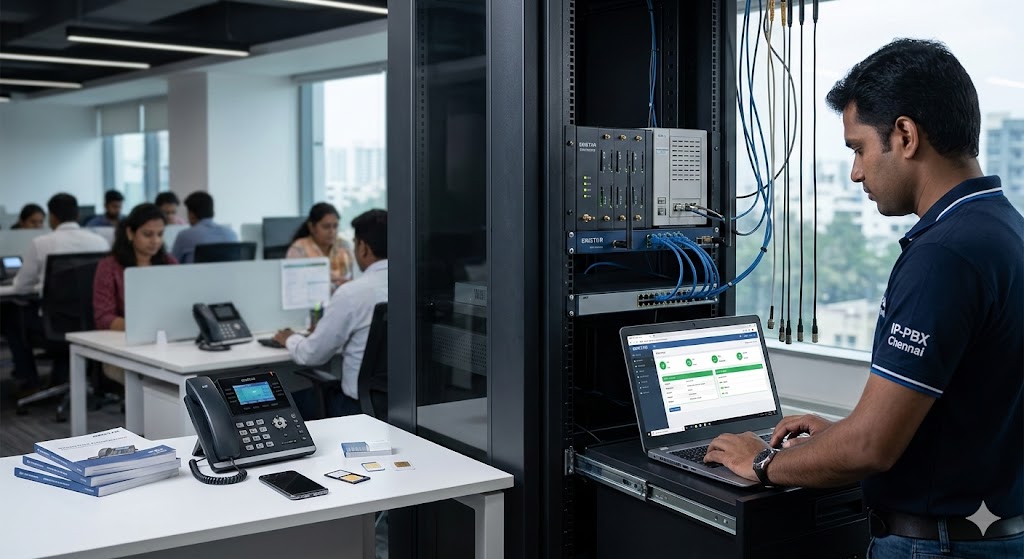
First, insert your SIM cards into the Dinstar slots and connect the gateway to your network switch using an Ethernet cable. Ensure the power supply is stable. You will need to access the Dinstar web-based management interface by typing its default IP address into your browser.
Once inside, the first task is to configure the “Network Settings” to match your office’s IP scheme. If this sounds overwhelming, remember that setting up an IP-EPABX system follows a very similar logic of IP assignment and gateway mapping.
Establishing the SIP Trunk
This is where the magic happens. On your existing PBX (like a Grandstream, Matrix, or NEC system), you need to create a new “SIP Trunk.” This trunk will point directly to the IP address of your Dinstar Gateway.
-
On the Dinstar side: Create a SIP Server profile pointing to your PBX IP.
-
On the PBX side: Create a Gateway profile pointing to the Dinstar IP.
-
Authentication: Ensure the usernames and passwords match on both ends to allow the “handshake” to complete.
Configuring Inbound and Outbound Routes
Now that the “pipe” is built, you need to tell the water where to flow.
-
Outbound Routes: Set a rule in your PBX so that any call starting with a specific prefix (e.g., dialing ‘9’ before a mobile number) is routed through the Dinstar GSM Gateway.
-
Inbound Routes: Configure the gateway so that when someone calls the mobile number associated with the SIM card, it rings a specific extension, a ring group, or an IVR menu.
For those running hospitality businesses, this is a game-changer. You can find more specific tips in this hospitality IP audio system guide regarding how mobile integration improves guest services.
Overcoming Common Integration Pain Points
It isn’t always smooth sailing. Echo, low voice volume, or dropped calls can occasionally haunt a new setup. Usually, these aren’t hardware “failures” but simple configuration tweaks.
Solving Echo and Audio Quality Issues
If you hear an echo, it’s often due to impedance mismatch between the GSM network and the PBX. Dinstar gateways come with built-in “Echo Cancellation” settings. Ensure this is toggled on. Furthermore, you can adjust the “Gain Control” to increase or decrease the volume of the SIM cards to match the levels of your internal desk phones.
Managing SIM Card Rotation and Blocking
Service providers sometimes block SIM cards if they detect “automated” behavior. Dinstar addresses this through “SIM Rotation” and “Call Duration Limits.” You can program the gateway to switch between SIM cards every 50 calls or after a certain number of minutes. This keeps your lines active and avoids unwanted downtime.
Security Measures for Your Gateway
Any device connected to the internet is a potential target. To prevent unauthorized people from making calls through your GSM gateway (toll fraud), you must:
-
Change the default admin password immediately.
-
Restrict IP access so only your PBX can talk to the gateway.
-
Disable any unused features like remote web management from external IPs.
For a deeper dive into protecting your voice network, see our guide on securing IP telephony and preventing toll fraud.
Advanced Features to Leverage After Integration
Once the basic calling is working, don’t stop there. Dinstar gateways offer high-level features that can transform how you handle customer data and communications.
SMS Integration for Customer Engagement
Dinstar gateways can send and receive SMS. You can integrate this with your CRM to send automated appointment reminders or shipping updates. This is a massive step up from traditional PBX systems that are limited to voice only.
Using the Gateway as a Lifeboat
In regions like Chennai, where heavy rains can sometimes disrupt fiber optic lines, the GSM gateway becomes your primary “Lifeboat.” If your main VoIP provider goes down, the PBX can be programmed to automatically failover to the GSM lines. This ensures your IP PBX system with CRM stays functional, keeping your customer data and communication channels synchronized even during local outages.
Remote Management and Monitoring
Modern Dinstar units support cloud management. This means an IT manager in Coimbatore can monitor the signal strength of SIM cards in a Chennai branch office without leaving their desk. You can check which SIMs are running low on credit or which ports are currently busy.
Future-Proofing Your Business Communication
The move toward unified communications and the future of telephony is inevitable. By integrating a GSM gateway now, you aren’t just saving money today; you are building a modular system that can adapt to future changes.
Scalability for Growing Teams
Adding more capacity is as simple as sliding in a new SIM or adding a second gateway unit. There’s no need to wait for a service provider to dig up the street and lay new cables. This agility is why many are choosing to upgrade traditional PBX to IP-EPABX.
Portability and Relocation
If your office moves, your “phone lines” move with you in your pocket. You don’t have to deal with the headache of transferring landline numbers or waiting for new installations. Just plug the Dinstar gateway into the network at the new location, and you are back in business.
Frequently Asked Questions
Can I use any SIM card with a Dinstar GSM Gateway?
Yes, Dinstar gateways are generally “unlocked,” meaning you can use SIM cards from any major provider like Airtel, Jio, or Vi. However, ensure the SIM plan is intended for business or voice use to avoid carrier restrictions.
Does this require a high-speed internet connection?
The gateway itself uses the GSM cellular network for the “outside” part of the call. However, the connection between the Gateway and your PBX uses your local area network (LAN). As long as your internal office network is stable, you don’t need external internet to make calls via the GSM gateway.
Will the call quality be as good as a landline?
With a strong cellular signal, the quality is virtually indistinguishable. If your office is in a “dead zone,” you can attach an external high-gain antenna to the Dinstar gateway and mount it near a window or on the roof to ensure crystal-clear audio.
How many simultaneous calls can I make?
This depends on the number of ports in your specific Dinstar model. A 4-port gateway allows for 4 concurrent calls, while a 32-port model allows for 32 calls at the same time.
Is it difficult to maintain?
Not at all. Once configured, they are “set and forget” devices. Regular maintenance usually involves just checking SIM card balances and occasionally updating firmware. For more on general upkeep, refer to our IP PBX maintenance guide.