Imagine your office monthly finance review. You open up the utility spreadsheets, and there it is again—the corporate phone bill, stubbornly high. In an era where everyone carries a smartphone, your office is still cutting huge checks to traditional telecom providers just so your team can make landline-to-mobile calls to clients, delivery agents, and field teams.
If your business relies heavily on outbound calling to mobile numbers, you are likely overpaying for connectivity. This is exactly where a GSM Gateway steps into the picture. It acts as a clever bridge that transforms your standard office desk phones into mobile-network-connected hubs, slashing call rates and modernizing your communication infrastructure.
Let’s dive into exactly how this technology works, how it plugs into modern office setups, and whether your business needs one.
Understanding the Basics: What Exactly is a GSM Gateway?
At its core, a GSM (Global System for Mobile Communications) Gateway is a device that allows an office telephone network to directly route outbound and inbound calls over cellular mobile networks instead of traditional landline networks like the PSTN (Public Switched Telephone Network) or expensive digital lines.
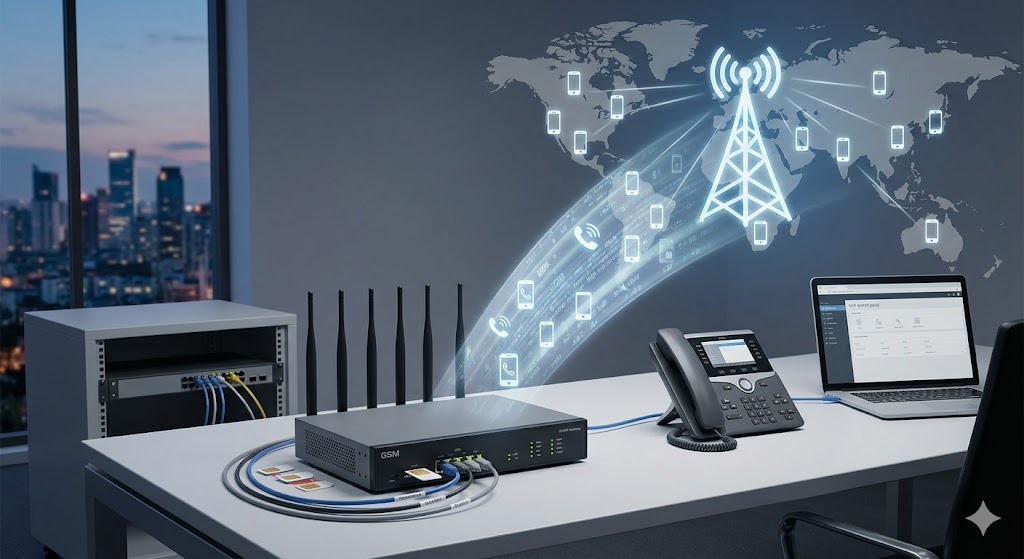
Think of it as a hardware adapter that houses one or multiple mobile SIM cards. When an employee dials a customer’s mobile number from their office desk phone, the gateway intercepts the call. Instead of passing it along to a traditional landline provider—who would charge a premium rate for a “landline-to-mobile” connection—the gateway routes the call through one of its internal SIM cards. To the outside telecom network, the call looks like an ordinary, cost-effective “mobile-to-mobile” call.
For offices that use advanced business phone setups, understanding how a gateway integrates with your core system is incredibly useful. If you are brand new to corporate telephony, taking a moment to look at a what is an ip pbx system complete guide modern businesses will give you a clear foundation on how office phone lines handle voice signals.
How a GSM Gateway Works Inside Your Office
To see the true value of a gateway, it helps to understand its mechanical role in your server room. A GSM gateway acts as a translator between two different worlds: the wired IP or analog infrastructure inside your building and the wireless cellular towers outside.
Step 1: Initiating the Outbound Call
An account executive dials a client’s mobile number from an office IP phone or a softphone application on their laptop.
Step 2: The PBX Routes the Call
The internal office phone system—the PBX—evaluates the dialed digits. Through built-in Least Cost Routing (LCR) rules, the PBX identifies that the destination is a cellular phone number. It immediately directs the call to the connected GSM Gateway rather than standard external trunk lines.
Step 3: Cellular Translation
The gateway receives the digital or analog voice signals from the PBX and maps them to an available internal SIM card slot. It translates those signals into standard cellular radio frequencies.
Step 4: The Mobile Network Takes Over
The call travels over the airwaves to the nearest telecom tower. Because the call originated from a SIM card within the gateway, the carrier bills the connection at a highly affordable mobile-to-mobile rate, or pulls minutes from a pooled corporate mobile plan.
For businesses operating in modern hubs, deploying such devices has become standard practice. Companies looking to modernize their network often review a complete guide to ip epabx systems in chennai to see how cellular gateways, digital extensions, and local internet pathways converge into a single system.
The Different Types of Gateways: FXS, FXO, and VoIP
When shopping around for a gateway, you will encounter multiple technical terms. Choosing the wrong type means the hardware won’t plug into your existing phone system. The three primary variants include:
Analog GSM Gateways (FXS/FXO)
These are designed for older, traditional telephone networks. An FXO gateway connects directly to the trunk ports of a traditional analog PBX, mimicking an incoming landline. An FXS gateway, on the other hand, connects directly to traditional analog telephone sets or fax machines, giving them a cellular dial tone.
VoIP GSM Gateways
These are the modern standard for offices utilizing internet-based telephony. They convert cellular voice signals directly into SIP (Session Initiation Protocol) data packets, allowing seamless plug-and-play integration with on-premise or cloud-hosted IP PBX servers.
Navigating these differences can sound confusing at first. If you’re trying to figure out how to match these ports to your corporate hardware, reading through an fxs vs fxo gateways business guide can save you from costly ordering mistakes. Furthermore, if you are looking for specific configuration steps, a dedicated fxs vs fxo dinstar gateway guide 2026 offers concrete examples of linking cellular channels to digital setups.
The Massive Benefits of Adding a Cellular Gateway to Your Office
Adding a cellular gateway to your communication stack brings severe performance boosts, infrastructure redundancy, and noticeable financial relief.
1. drudge Down Corporate Phone Bills
The most immediate benefit is cost reduction. Landline-to-mobile tariffs are historically inflated. By routing mobile outbound calls through an internal SIM card, you leverage unlimited corporate mobile CUG (Closed User Group) plans.
2. Bulletproof Network Backup (Failover Protection)
What happens to your office if a local utility worker accidentally cuts the physical internet or telephone cables outside your building? Your business goes dark. A GSM gateway acts as an instant wireless backup. If your primary landlines or fiber internet connections drop, your PBX can automatically redirect all critical inbound and outbound office calls through the cellular network, keeping your customer support active.
3. Seamless Remote and Multi-Site Connectivity
Gateways make it incredibly straightforward to tie decentralized operations together. For teams utilizing multiple offices or keeping track of field workers, understanding how to configure voip gateways for multi-site connectivity shows how hardware gateways seamlessly pass calls across cellular bands to remote workers thousands of miles away.
4. SMS Marketing and Automated Notifications
Modern VoIP GSM gateways don’t just handle voice; they handle data. Your business can utilize the internal SIM cards to send mass SMS marketing campaigns, automated delivery updates, or two-factor authentication codes directly from your office CRM software.
5. Establishing a Local Presence
If your business is located in city A, but you frequently call clients in city B, you can place SIM cards with city B’s local cellular codes into your gateway. When your team calls out, clients see a familiar local mobile number on their caller ID, drastically improving call answer rates.
Does Your Office Actually Need One? The Checklist
Not every office needs to rush out and buy a gateway. If your business handles most conversations over email, or primarily calls international landlines, a cellular gateway might sit idle. However, your office absolutely needs a GSM gateway if you match any of the following criteria:
-
High Volume of Mobile Outbound Calls: Your sales, logistics, or support teams spend hours every day dialing mobile numbers.
-
You Run an In-House Customer Support Center: Your team must maintain constant contact with consumers who rarely own landlines anymore.
-
Unstable Local Infrastructure: Your office operates in an area prone to internet outages, fiber cuts, or regular stormy weather that threatens physical cables.
-
Field-Heavy Operations: You manage real estate agents, delivery drivers, field technicians, or construction crews who live on their mobile phones.
If you match these traits, integrating a cellular gateway into your existing office ecosystem is a logical next step. To see how these systems pair with modern networks, a look into how a dinstar gsm gateway revolutionizing business communications works will show you the real-world scale of cellular-to-office integration.
Step-by-Step: How to Integrate a GSM Gateway into Your Existing PBX
If you decide to deploy this hardware, the integration process follows a highly structured technical sequence.
+------------------+       +-------------------+       +-----------------------+
|  Office IP Phone | ----> |   Office IP PBX   | ----> |   VoIP GSM Gateway    |
|   (Desk Phone)   |       | (Routing Engine)  |       | (Holds Mobile SIMs)   |
+------------------+       +-------------------+       +-----------------------+
                                                                   |
                                                                   v
                                                       +-----------------------+
                                                       | Cellular Tower / Site |
                                                       |  (Wireless Exchange)  |
                                                       +-----------------------+
Step 1: Hardware Placement and Antenna Setup
Mount the gateway hardware into your server rack. Because the device communicates directly with cellular networks, place it in an area with solid mobile signal strength, or run an external antenna extension to a window or roof space.
Step 2: SIM Card Provisioning
Insert active corporate SIM cards into the physical slots of the gateway. Ensure these SIM cards are loaded with appropriate business plans featuring low mobile-to-mobile rates or bulk calling minutes.
Step 3: LAN Network Configuration
Connect the gateway’s network port to your office network switch. Assign a static IP address to the gateway so your primary PBX server can communicate with it reliably over your local network.
Step 4: Setting Up the SIP Trunk Connection
Log into your office IP PBX management dashboard. Create a new peer-to-peer SIP trunk pointing directly to the static IP address of your newly installed GSM gateway.
Step 5: Writing Least Cost Routing (LCR) Rules
Configure the outbound routing tables inside your PBX. Create a rule stating: “If any user dials a number starting with local mobile prefixes, route that call through the GSM Gateway SIP trunk.”
For an actionable, deep-dive walkthrough of this specific technical process, you can study the configuration methods found in this guide on how to integrate dinstar gsm gateway with pbx. It outlines the exact parameters needed to make sure your office phone system and your cellular gateway talk to each other without dropping packets.
Maximizing Voice Quality: The Technical Nuances
When you run corporate voice traffic over cellular waves, maintaining pristine audio quality is vital. No client wants to talk to a business that sounds like they are calling from a remote, staticky basement.
Codec Alignment
Ensure that both your office PBX and your gateway use matching audio compression formats. Utilizing high-fidelity codecs like G.711 or G.722 ensures crisp vocal transmission.
Echo Cancellation
Cellular networks introduce a natural propagation delay which can result in users hearing their own voice bouncing back to them. Investing in a high-quality gateway that features built-in hardware echo cancellation fixes this issue entirely.
Managing Network Health
If you are passing voice over your office Wi-Fi network or local lines, internal congestion can cause choppy audio. To prevent this, check out our troubleshooting tips on troubleshooting echo voice lag ip pbx wifi to keep your internal network clean and prioritize voice packets over generic internet downloading traffic.
The Big Picture: Building a Complete Office Communication Ecosystem
A GSM gateway is a powerful tool, but it works best when viewed as part of an overarching business communication upgrade. Over the past few years, office telephony has rapidly evolved past standalone boxes.
Modern businesses use gateways alongside cloud networks, customer tracking applications, and advanced IP handsets. If your business is evaluating a massive overhaul of how you talk to customers, you should check out the how ip pbx systems transforming business communications 2025 report to see how mobile integration, artificial intelligence, and unified corporate communication ecosystems fit together.
By bridging the gap between your office desks and the expansive cellular world, a GSM gateway stops your company from burning money on outdated landline fees, ensures your office never drops offline during a crisis, and keeps your team agile in a mobile-first marketplace.
Frequently Asked Questions
Can I use any standard mobile SIM card inside an office GSM gateway?
Yes, you can use standard nano or micro SIM cards from major mobile carriers inside a gateway. However, for legitimate business usage and to ensure you don’t violate carrier fair-use policies, it is highly recommended to sign up for official corporate mobile plans or business CUG (Closed User Group) connections.
How many simultaneous mobile calls can a single gateway handle?
It depends entirely on the hardware capacity of the gateway you purchase. Channels scale structurally. You can buy compact 1-channel or 2-channel gateways for small startup offices, 4-channel to 8-channel variants for mid-sized operations, and heavy-duty 16-channel or 32-channel rackmount units for high-volume call centers. Each channel corresponds to one active SIM card capable of handling one call at a time.
Does adding a GSM gateway mean we don’t need a normal internet provider anymore?
No. A GSM gateway is specifically used to optimize and route voice calls (and sometimes SMS text traffic) over mobile carrier channels. It does not replace your primary corporate broadband or high-speed fiber internet connection, which your office still requires for daily email, web browsing, cloud storage, and handling internal IP phone signals.
What is the difference between a pure VoIP trunk and a physical GSM gateway?
A VoIP trunk (or SIP trunk) routes your phone calls directly over your wired fiber-optic internet connection to a digital telecom provider. A GSM gateway physically holds mobile SIM cards and converts your office calls into wireless radio frequencies to reach local cellular towers. Gateways are ideal if your internet connection is unreliable, or if local cellular carrier packages offer much cheaper rates than standard digital internet trunk providers.
Will my employees notice a difference when making a call through the gateway?
From an employee’s perspective, the calling process remains completely unchanged. They simply pick up their standard desk phone, punch in the customer’s mobile number, and press dial. The office PBX and the GSM gateway handle all the technical rerouting and signal translation completely in the background within fractions of a second.