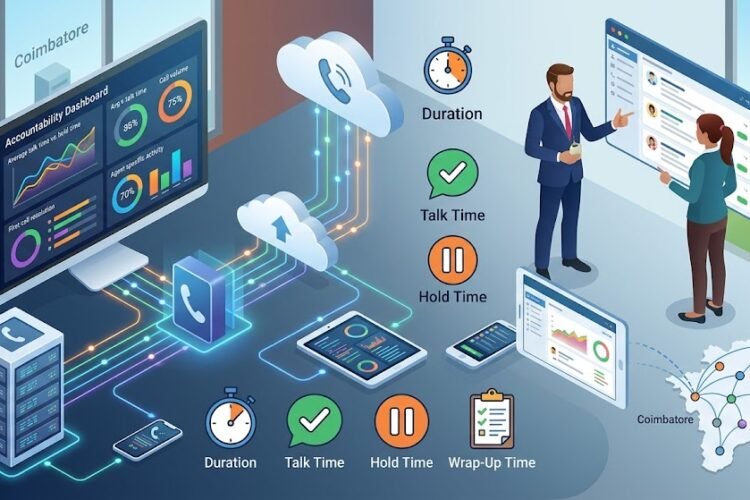
Let’s face it — distributed teams are no longer the exception, they’re the rule. Whether your team spans multiple floors in a Coimbatore office building or stretches across three continents, the communication challenges are eerily similar. Messages get lost in Slack threads, important decisions happen in meetings half the team couldn’t attend, and that “quick question” turns into a two-day email chain. Sound familiar?
If you’re reading this, you’re probably feeling the pain. That pain isn’t just frustrating — it’s expensive. Studies consistently show that poor internal communication costs companies with 100+ employees an average of ₹5 crore annually in lost productivity, missed deadlines, and employee turnover. For distributed teams, the numbers climb even higher.
The good news? Improving internal communication in distributed teams isn’t about buying more tools or scheduling more meetings. It’s about building the right systems, choosing the right infrastructure, and creating a culture where information flows freely — regardless of where people sit. Let’s walk through exactly how to make that happen.
Why Distributed Teams Struggle with Communication (And What It Really Costs You)
Before we fix the problem, let’s understand why it exists. Distributed teams face a unique cocktail of communication barriers that co-located teams rarely encounter:
The “Invisible Watercooler” Problem
In a physical office, people absorb information passively — overhearing a colleague mention a deadline change, noticing the sales team huddled around a whiteboard, or catching a quick update in the hallway. These micro-interactions account for an estimated 70% of workplace knowledge transfer. When your team is distributed, that informal communication network simply disappears.
Time Zone Fragmentation
When half your engineering team in Chennai finishes their day just as your marketing team in London starts theirs, you’re looking at a 4-5 hour communication dead zone every single day. Decisions that could have been made in a five-minute hallway conversation now require scheduling formal meetings 24 hours in advance — if they get addressed at all.
Tool Sprawl and Channel Chaos
Most distributed teams don’t have a communication problem — they have too many communication problems. Between email, Slack, Microsoft Teams, WhatsApp, Zoom, Google Meet, and old-fashioned phone calls, critical information gets scattered across a dozen platforms. When someone needs to find that one message about the Q3 budget adjustment, they’re digging through six different tools and still coming up empty.
This is where having a unified communications strategy becomes non-negotiable. Without it, your team isn’t communicating — they’re broadcasting into the void and hoping someone catches the signal.
The Foundation: Building Communication Infrastructure That Actually Works
You can’t fix communication problems with better culture alone. The right technology infrastructure makes good communication easy and bad communication obvious. Here’s what distributed teams actually need:
IP PBX Systems as Your Communication Backbone
An IP PBX system isn’t just about making phone calls — it’s the central nervous system of your team’s communication. Modern IP PBX platforms unify voice, video, messaging, and presence information into a single system that works seamlessly whether your team member is at their desk, working from home, or dialing in from a client site in Chennai.
For businesses in Chennai and Coimbatore, an IP EPABX system offers the perfect balance of enterprise-grade features and local support. When your sales team can transfer a client call directly to your technical support engineer — regardless of where either person is located — that’s when communication actually works.
Unified Communications: One Platform, Every Conversation
The future of business telephony isn’t about choosing between voice, video, or chat — it’s about having all three work together intelligently. Unified communications platforms let your team start a conversation on one channel and seamlessly continue it on another.
Imagine this scenario: A team lead in Coimbatore sends a quick voice message about a project update. The developer in Chennai listens to it while commuting, responds with a text message, and later that day they jump on a video call — all from the same platform, with full conversation history preserved. That’s not science fiction; it’s what modern cloud-based IP PBX systems deliver today.
Why Cloud-Based Systems Win for Distributed Teams
On-premise phone systems are great for a single office. But when your team is scattered across locations, a cloud-based IP PBX eliminates the geographical boundaries entirely. No VPN configurations, no remote access headaches, no “I can’t connect to the office network” excuses. Everyone gets the same experience, same features, and same reliability whether they’re in the headquarters or working from a beach in Goa.
Breaking Down Communication Silos Across Departments
Even with great technology, communication breaks down when teams operate in silos. Your sales team closes a deal, but doesn’t tell operations until the client calls asking about delivery. Your support team identifies a recurring product issue, but the product team doesn’t hear about it for three months. These aren’t technology problems — they’re workflow problems.
Creating Cross-Functional Communication Channels
The solution isn’t more all-hands meetings (nobody likes those anyway). Instead, create dedicated shared channels between departments that actually need to communicate. When your call center team and your product development team share a real-time channel, feedback flows in hours instead of quarters.
Standardizing Your Communication Protocols
Distributed teams need clear rules of engagement. Without them, chaos reigns. Here’s what high-performing distributed teams agree on:
- Response time expectations: What counts as urgent? (Hint: almost nothing is truly urgent.) Define response windows: 2 hours for messages, 24 hours for email, immediate for calls.
- Channel selection: Quick questions go to chat, complex discussions go to video calls, formal decisions go to email with documented trails.
- Meeting hygiene: Every meeting needs an agenda sent 24 hours in advance, a designated note-taker, and documented action items within 1 hour of ending.
- Asynchronous-first default: If a conversation can happen asynchronously, it should. Reserve synchronous communication for topics that genuinely require real-time discussion.
The Hidden Cost of Meeting Overload
Here’s a stat that should alarm every distributed team leader: the average remote worker spends 43% of their workweek in meetings. That leaves barely half the week for actual work. When you’re trying to improve communication, adding more meetings is often the worst thing you can do. Instead, invest in modern IP PBX systems that enable asynchronous collaboration — recorded voice messages, screen share recordings, and threaded discussions that respect everyone’s time zone.
Practical Strategies That Transform Distributed Team Communication
Theory is nice, but what actually moves the needle? Here are battle-tested strategies from teams that have made the distributed model work:
Implement a “Daily Standup” That Actually Works
Forget the traditional Scrum standup where everyone takes turns talking for two minutes each. That’s 20 minutes of people politely waiting for their turn to speak, then checking out. Instead, use asynchronous standups where team members post their updates to a shared channel by a set time each morning. Team members across time zones can read and respond when it suits their schedule.
Invest in Quality Voice Communication
Here’s a surprising truth: video call fatigue is real, and voice calls are making a comeback. Not every conversation needs faces on screen. High-quality voice communication through reliable IP phones often leads to more natural, productive conversations than video — without the “am I being watched?” anxiety that makes people reluctant to speak up.
Brands like Asttecs IP phones, Grandstream, and FlyingVoice offer HD voice quality that makes remote conversations feel as natural as sitting across a desk. When your team can actually hear each other clearly — no drops, no distortion, no “sorry, can you repeat that?” every thirty seconds — communication quality improves dramatically.
Create a Single Source of Truth for Decisions
One of the biggest frustrations in distributed teams is the “I didn’t know about that” moment. Someone made a decision in a meeting, documented it in an email, discussed it further in a Slack thread, and the final version lives in a Google Doc that nobody can find. Sound familiar?
Establish one — exactly one — place where all decisions are documented and searchable. Whether that’s a shared workspace, a wiki, or a dedicated channel in your unified communications platform, the key is consistency. Every decision, every project update, every policy change goes to the same place, every time.
Solving the Connectivity Puzzle for Multi-Location Teams
When your team spans multiple offices — say, headquarters in Chennai and a branch in Coimbatore — the technology infrastructure needs to connect these locations as if everyone were in the same building. This is where many businesses stumble.
GSM Gateways: Bridging the Mobile-Office Divide
Not every team member sits at a desk with an IP phone. Field sales teams, service technicians, and on-site engineers often rely on mobile phones. A GSM gateway bridges the gap between mobile networks and your office phone system, ensuring that mobile workers are fully integrated into your communication infrastructure.
For businesses with teams split between Chennai and Coimbatore, Dinstar GSM gateways offer reliable connectivity that keeps mobile team members connected to the same communication ecosystem as their office-based colleagues. Your field technician in Coimbatore can transfer a customer call to your specialist in Chennai with one tap — that’s the power of integrated communication.
Multi-Site Connectivity Through SIP Trunking
If your distributed team operates from multiple physical offices, SIP trunking connects these locations through your existing internet connection, eliminating expensive point-to-point lines. Whether you’re connecting two offices in the same city or linking branches across Tamil Nadu, SIP trunking makes multi-location communication cost-effective and seamless.
Hybrid Work Support: The Best of Both Worlds
Many distributed teams follow a hybrid model — some people in the office, some working remotely. Hybrid IP EPABX systems are specifically designed for this reality. They support both traditional desk phones and mobile/softphone clients, ensuring that the communication experience is identical regardless of where someone chooses to work that day.
Measuring Communication Health: How Do You Know It’s Working?
You can’t improve what you don’t measure. Here are the communication health metrics that matter for distributed teams:
Key Performance Indicators to Track
- Message response time: How quickly do team members respond to internal communications? Increasing response times often signal communication fatigue or information overload.
- Decision-to-implementation latency: How long does it take from when a decision is made to when the relevant team members are informed and can act on it?
- Meeting efficiency ratio: What percentage of meeting time produces documented action items? If it’s below 60%, you’re meeting too much and deciding too little.
- Knowledge accessibility score: Can new team members find the information they need without asking someone? If onboarding takes more than two weeks, your documentation is failing.
- Cross-team collaboration frequency: How often do different departments communicate outside of formal channels? Siloed teams show low cross-team interaction numbers.
Using Call Analytics to Identify Communication Gaps
Modern IP PBX systems with call recording and analytics can reveal surprising insights about your team’s communication patterns. Are certain departments never calling each other? Are calls consistently dropping during peak hours? Is your support team spending 30% of their time on internal coordination instead of helping customers? These data points tell you exactly where to focus your improvement efforts.
The ROI of Better Communication: What You Gain When You Get It Right
Investing in communication infrastructure isn’t an expense — it’s one of the highest-ROI investments a distributed team can make. Here’s what businesses that prioritize communication consistently report:
Tangible Business Benefits
Reduced project delivery timelines by 25-35%. When teams communicate effectively, handoffs between departments become seamless instead of bottlenecks. A manufacturing company in Chennai reported cutting their product development cycle from 12 weeks to 8 weeks simply by connecting their engineering and production teams through a unified communication platform.
Lower employee turnover by up to 50%. Poor communication is consistently ranked as the #1 source of workplace frustration in distributed teams. When you invest in modern phone systems that actually work, employee satisfaction — and retention — follows.
Measurable cost savings. Businesses that switch from traditional phone lines to IP-based telephony typically save 40-60% on communication costs. But the bigger savings come from productivity gains: fewer duplicated efforts, faster decision-making, and less time wasted searching for information.
Frequently Asked Questions About Improving Communication in Distributed Teams
What is the biggest communication challenge for distributed teams?
The single biggest challenge is asynchronous information loss — when time zone differences, tool fragmentation, and lack of face-to-face interaction cause critical information to never reach the people who need it. This manifests as duplicated work, missed deadlines, and that perpetual feeling that “nobody told me.” The fix isn’t more meetings; it’s building systems where information is documented by default and accessible to everyone, regardless of when or where they work.
How can small businesses improve internal communication without a large budget?
Start with what you have and layer technology strategically. Begin by standardizing your communication channels — pick one primary chat tool and one phone system. Then invest in an affordable IP PBX system for small offices that unifies voice and messaging. Many businesses in Coimbatore and Chennai find that a well-configured IP EPABX system under ₹50,000 can transform their team’s communication without breaking the bank.
Is video calling better than phone calls for team communication?
Not always. While video is valuable for team meetings, one-on-one coaching, and relationship building, it creates significant fatigue when overused. For quick decisions, technical discussions, and routine check-ins, high-quality voice calls through VoIP phone systems are often more efficient. The best approach is giving your team the choice — voice, video, or async messaging — and letting them pick what works for each conversation.
How do you maintain team culture in a distributed environment?
Culture in distributed teams is built through consistent rituals, not physical proximity. Schedule regular non-work virtual hangouts, create shared channels for casual conversation, celebrate wins publicly, and — critically — invest in communication tools that make informal interaction easy. IP phones with softphone apps let team members chat casually just like they would at a physical desk, maintaining those personal connections that build strong teams.
What tools are essential for distributed team communication?
At minimum, you need three layers: (1) A modern IP PBX system for reliable voice and video communication, (2) An async messaging platform for quick conversations and documentation, and (3) A shared workspace for project management and knowledge base. The key is integration — these tools should work together seamlessly rather than creating information silos. IP PBX systems with CRM integration are particularly powerful because they connect communication with customer data in one unified view.
How often should distributed teams have sync meetings?
There’s no universal answer, but the principle is: as rarely as possible, as frequently as necessary. Most successful distributed teams have one weekly synchronous team meeting (30-45 minutes), optional daily async standups, and ad-hoc sync calls only for topics that genuinely require real-time discussion. If your team is spending more than 15% of their time in meetings, you likely have a communication process problem, not a meeting problem.
Can IP PBX systems work for teams spread across multiple cities?
Absolutely. This is actually where IP PBX technology shines brightest. Unlike traditional phone systems tied to physical locations, an IP PBX system operates over the internet, making physical location irrelevant. Whether your team members are in Chennai, Coimbatore, Bangalore, or working from home, they all share the same phone system, extensions, and features. Scalable IP PBX solutions can grow with your team across any number of locations.
Getting Started: Your 30-Day Communication Improvement Plan
Improving communication doesn’t require a massive overhaul. Here’s a practical 30-day roadmap:
Week 1: Audit and Assess
Survey your team about their biggest communication frustrations. Map every tool and channel currently in use. Identify the top three communication bottlenecks — you’ll probably find they’re related to either tool fragmentation, unclear protocols, or timezone gaps.
Week 2: Consolidate and Configure
Start consolidating communication channels. If your team uses five different tools, cut it to three. Evaluate whether your current phone system supports modern unified communications — if not, start researching replacements. Many businesses find that professional EPABX installation and configuration services can optimize their existing setup significantly.
Week 3: Train and Implement
Roll out your streamlined communication protocols. Train your team on the unified platform. Set up the async-first culture by modeling it from leadership. Document the new communication norms and make them easily accessible.
Week 4: Measure and Iterate
Collect feedback on what’s working and what isn’t. Track your key metrics — response times, meeting efficiency, cross-team collaboration. Adjust your approach based on data, not assumptions. Communication improvement is a continuous process, not a one-time project.
The Bottom Line: Better Communication Is a Business Investment, Not an Overhead
Distributed teams are here to stay. The companies that thrive in this new reality won’t be the ones with the most tools or the most meetings — they’ll be the ones with the most intentional, well-supported communication systems. Whether you’re a 10-person startup in Coimbatore or a 500-person organization with offices across South India, the principles are the same: unify your channels, respect people’s time, document decisions, and invest in infrastructure that makes communication effortless.
If your current phone system is holding your team back, consider exploring professional IP EPABX installation or upgrading to a cloud-based phone system that scales with your distributed workforce. The cost of inaction — frustrated employees, missed opportunities, and communication breakdowns — far exceeds the investment in getting it right.
Your distributed team doesn’t need to feel distributed. With the right communication systems in place, every team member — whether they’re in Chennai, Coimbatore, or anywhere else — can stay connected, informed, and productive. The technology exists. The question is whether you’ll use it.