That creeping dread you feel when the monthly corporate telecom invoice hits your inbox? It’s not just you. For years, growing businesses have accepted massive phone bills as a mandatory “cost of doing business.” Traditional telecom providers lock you into expensive physical trunk lines, charge exorbitant fees for basic features like call forwarding, and hit you with staggering per-minute rates for long-distance or international client calls.
But maintaining standard, legacy copper-wire phone systems is an expensive trap. If your business is still relying on traditional analog lines, you are essentially paying premium prices for a horse and buggy in an era of high-speed electric transit.
Switching to an Internet Protocol Private Branch Exchange—more commonly known as an IP PBX—is the most effective way to eliminate these unnecessary expenses. This comprehensive guide details exactly how to significantly reduce monthly phone bills with IP PBX, while simultaneously unlocking enterprise-level communication features.
The Hidden Drain: Why Legacy Telecom is Eating Your Margins
To understand how an IP PBX saves you money, we first have to look at why your current setup costs so much. Traditional EPABX systems require dedicated physical copper lines (like PRIs or BRIs) running into your building.
Telecom providers charge you a flat, premium monthly lease for these lines regardless of whether you use them to maximum capacity or not. If you have a 30-channel PRI line and only 5 people are on the phone simultaneously, you are still paying for the other 25 idle channels.
Add to this the cost of physical infrastructure maintenance, separate wiring for voice and data, and premium add-ons for essential call center features, and your overhead quickly spirals out of control. It’s a rigid, expensive model built for the 20th century. For a deeper breakdown of these technological differences, you can explore our difference between pbx and epabx systems complete guide.
Enter the IP PBX: How Voice Over IP Changes the Financial Math
An IP PBX completely changes the economic structure of business telephony. Instead of relying on expensive, proprietary copper networks, it routes your voice calls over your existing office internet connection using Voice over Internet Protocol (VoIP) technology.
By unifying your data and voice networks onto a single internet pipeline, you instantly eliminate the need to pay for secondary, dedicated telephone lines.
If you are wondering about the core mechanics under the hood, our detailed article explaining how does voice over ip voip actually work breaks down the technical processing of data packets. For business owners, the financial math is beautifully simple: fewer distinct bills, zero wasted line capacity, and dramatically lower operational costs.
5 Proven Mechanisms to Significantly Reduce Monthly Phone Bills with IP PBX
Transitioning to an IP PBX doesn’t just shave off a few rupees or dollars by trimming minor usage fees; it structurally transforms your communication infrastructure. Let’s break down the major cost-saving pillars that make this system an absolute financial powerhouse for modern organizations.
1. Say Goodbye to Line Rentals with SIP Trunking
With older analog hardware, if your business grew from 10 to 15 employees, you often had to buy an entirely new physical trunk card or pay for a block of new lines from your service provider.
IP PBX systems use Session Initiation Protocol (SIP) trunking instead. SIP trunks are virtual phone lines delivered over your internet connection. You can scale your capacity up or down instantly without running a single physical wire to your office. This means you only pay for the exact call capacity your team actually utilizes. To better understand this protocol, read our straightforward understanding sip trunking guide non technical business owners.
2. Eliminate Inter-Branch and Remote Call Costs
If your business operates across multiple locations—say, an office in Chennai, a warehouse in Coimbatore, and a sales team working from home—traditional calls between these sites quickly rack up massive long-distance charges.
Because an IP PBX treats all connected devices as extensions within the exact same data network, every single internal call between branches, remote workers, or global teams is completely free. It makes no financial difference whether a team member is sitting across the hall or working in another city. To see how this works in practice, check out our tutorial on how to set up remote extensions on ip epabx for work from home.
3. Eradicate International Call Premiums
Relying on legacy carriers for international client communication is a guaranteed way to inflate your operational expenses. IP PBX systems cut through these premium rates by routing international calls over the internet to local gateways near the destination point, bypassing traditional international long-distance networks entirely. The resulting cost reductions are monumental, making international expansion highly affordable for small and mid-sized enterprises alike.
4. Hardware Consolidation and Reduced Cabling Overhead
Traditional phone setups demand a split infrastructure: Category 5/6 Ethernet cables for your computers, and standard telephone wires for your desks. An IP PBX shares the exact same Ethernet network data cables that your computers already use.
Many modern IP phones feature pass-through network ports, allowing a single internet wall drop to power both your computer and your desk phone simultaneously. This completely slashes your physical office cabling, installation, and long-term infrastructure maintenance costs. You can learn more about configuring these savings through our essential components of a modern ip pbx system resource.
5. Leverage GSM Gateways for Mobile-Heavy Teams
If your sales or support personnel spend hours calling customers on their mobile phones, routing those outbound calls through standard landlines can get incredibly expensive.
By integrating a GSM gateway into your IP PBX configuration, your phone system can route outbound calls directly through low-cost cellular networks using standard SIM cards, capitalizing on cheap mobile-to-mobile corporate plans. This simple hardware addition saves businesses thousands in monthly outbound call costs. For an in-depth operational look, see our guide on what is gsm gateway office need.
Choosing Your Financial Model: On-Premise vs. Cloud IP PBX
When shifting your corporate architecture to an IP PBX framework to trim down operational spending, you’ll encounter two main implementation options: an On-Premise system or a Cloud-Hosted solution. Both offer massive savings over old-school systems, but they balance capital expenditure (CapEx) and operational expenditure (OpEx) differently.
The On-Premise Savings Dynamic
An On-Premise IP PBX means you own and house the physical server hardware within your own office or data center. While this model requires an upfront investment to purchase the server and IP phones, it eliminates recurring third-party hosting subscription fees.
Over a multi-year cycle, this configuration typically yields the lowest total cost of ownership for established mid-to-large enterprises with dedicated IT personnel. To run a deeper side-by-side financial evaluation of this setup, review our resource on the difference between on premise ip pbx and cloud pbx.
The Cloud-Hosted Savings Dynamic
For smaller businesses or startups looking to avoid upfront hardware investments, a Cloud PBX is an ideal solution. With a cloud setup, the central PBX server is hosted and managed securely off-site by a specialized service provider.
You pay a predictable monthly fee per user, require no on-site server hardware, and never have to worry about local physical maintenance costs. The infrastructure scales seamlessly alongside your business growth trajectory. If you’re managing a growing team, read our comprehensive cloud based ip pbx complete guide 2025 to see if this operational style fits your financial goals.
Native Efficiency Features: Driving Productivity Without Add-On Fees
With legacy hardware systems, adding premium business features like Interactive Voice Response (IVR) menus, advanced call queues, automatic call distribution, or voicemail-to-email services usually meant purchasing expensive supplementary software licenses or upgrading physical daughtercards.
An IP PBX includes these enterprise features directly out of the box as core, software-driven capabilities.
Smart Automated Routing Minimizes Labor Costs
By configuring an advanced, multi-tier automated attendant, you can guide inbound callers directly to the correct internal department without needing a full-time receptionist handling every single incoming line transfer.
[Inbound Call] ──► [Multi-Level IVR Menu] ──┬──► [Sales Queue] ──► Available Representative
                                             └──► [Support]     ──► Automated FAQ / Agent
This highly intelligent call flow design significantly scales back your operational labor hours while ensuring your customers get routed to the right answers much faster. For clear implementation tips, explore our guide on multi-level ivr configuration ip epabx systems.
Direct Built-In Call Management for Support Teams
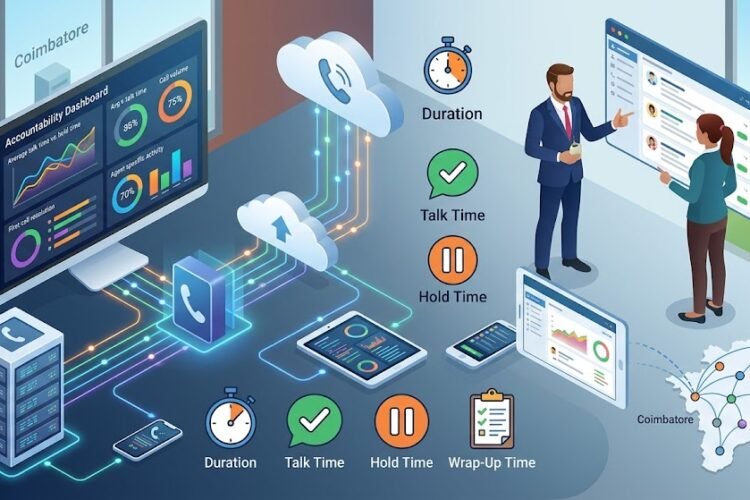
If your team handles a high volume of client communications, an IP PBX gives you enterprise-grade tracking without any expensive third-party integrations. Features like automatic call logging, real-time performance analytics, and call monitoring are built right into the management dashboard.
These integrated metrics help you optimize staff scheduling and eliminate wasteful line idle time. For a full optimization checklist, dive into our ip pbx with automatic call recording for customer support centers manual.
Step-by-Step Strategic Checklist: Transitioning for Maximum Financial ROI
Migrating your entire corporate communication setup can feel like a daunting task, but following a structured implementation plan makes the entire process incredibly straightforward. Use this systematic checklist to ensure you maximize your cost savings from day one.
Phase 1: Audit Your Current Network Capabilities
Before making any changes, check your current office internet connection to make sure it can handle both your web traffic and your voice data. Look at your historical call volumes to figure out exactly how many concurrent call slots (SIP channels) you actually need to buy, ensuring you don’t overpay for extra capacity.
Phase 2: Pick Your Deployment Method
Decide whether an On-Premise hardware installation or a Cloud-Hosted model makes the most sense for your current cash flow. If you have existing analog desk phones that you aren’t ready to replace, look into using FXS or FXO media gateways to bridge your legacy equipment onto the new IP network. This lets you transition without having to buy all-new hardware at once. For technical help on this setup, see our guide on how to connect analog extension to ip pbx using fxs gateway.
Phase 3: Pick and Configure Your SIP Providers
Shop around and negotiate your SIP trunk service packages based on your typical monthly destinations, making sure to avoid rigid, locked-in long-term contracts. Once you pick a provider, configure your SIP trunks directly on your central IP PBX engine to ensure crisp audio and reliable call routing. For a detailed step-by-step walkthrough of this setup, follow our guide on how to step by step guide to configure sip trunk on grandstream ip pbx.
Phase 4: Set Up Quality of Service Rules
Configure Quality of Service (QoS) rules on your office routers and network switches to prioritize voice data packets over regular internet traffic like file downloads or video streaming. This simple network tweak guarantees crystal-clear call quality even when your office internet is busy. If you run into any initial setup hitches, use our guide for troubleshooting echo voice lag ip pbx wifi to quickly fix common audio issues.
Realizing the ROI: A Clean Path to Long-Term Business Sustainability
The math behind upgrading your telephony infrastructure speaks for itself. By cutting out expensive physical line leases, eliminating long-distance charges between your own branches, using smart automated routing, and moving away from old copper wiring, most businesses see their monthly communication costs drop by 30% to 60% almost immediately.
Traditional Copper Trunking Cost Profile:
[Line Rental Fees (High & Rigid)] + [Per-Minute Tolls] + [Hardware Maintenance] = High Monthly Overhead

IP PBX Cost Profile:
[Shared Internet Pipeline] + [Flexible SIP Channel Packs (Low)] + [Zero Inter-Branch Fees] = Lean Operational OpEx
Investing in an IP PBX is about more than just saving money on your monthly bills—it’s about building a modern, flexible communication platform that grows effortlessly with your team. If you are ready to move away from expensive legacy providers and want to explore your options, read through our detailed business phone system upgrade voip pbx guide to find the perfect blueprint for your office.
Frequently Asked Questions
Can I keep our existing business phone numbers if we move to an IP PBX?
Yes, absolutely. You can easily port your existing corporate phone numbers from your old analog carrier over to your new SIP trunk provider. The porting process happens entirely in the background, so your clients can still reach you on the exact same numbers without any downtime or interruption.
Do we need to replace all our office internet wiring to use an IP PBX?
Not at all. An IP PBX runs seamlessly on your current Cat5e or Cat6 Ethernet cables—the same network cables your computers use right now. If your office still has older analog desk phones that you want to keep using to save on hardware costs, you can connect them to your new system using a simple FXS media gateway.
What happens to our phone system if the office internet goes down?
If you choose a Cloud IP PBX or set up smart backup rules on an On-Premise system, an internet outage won’t take your business offline. You can configure the system to automatically reroute incoming calls to employee mobile apps or external mobile numbers the second it detects a local network drop, keeping your business running smoothly.
Is an IP PBX practical and cost-effective for small offices with under 15 users?
Yes, it’s incredibly cost-effective, especially if you choose a Cloud-Hosted setup. Moving to the cloud lets small businesses cut out traditional line rental fees entirely and gives you access to enterprise features like professional IVR menus and smart call routing without having to buy any expensive on-site server hardware.